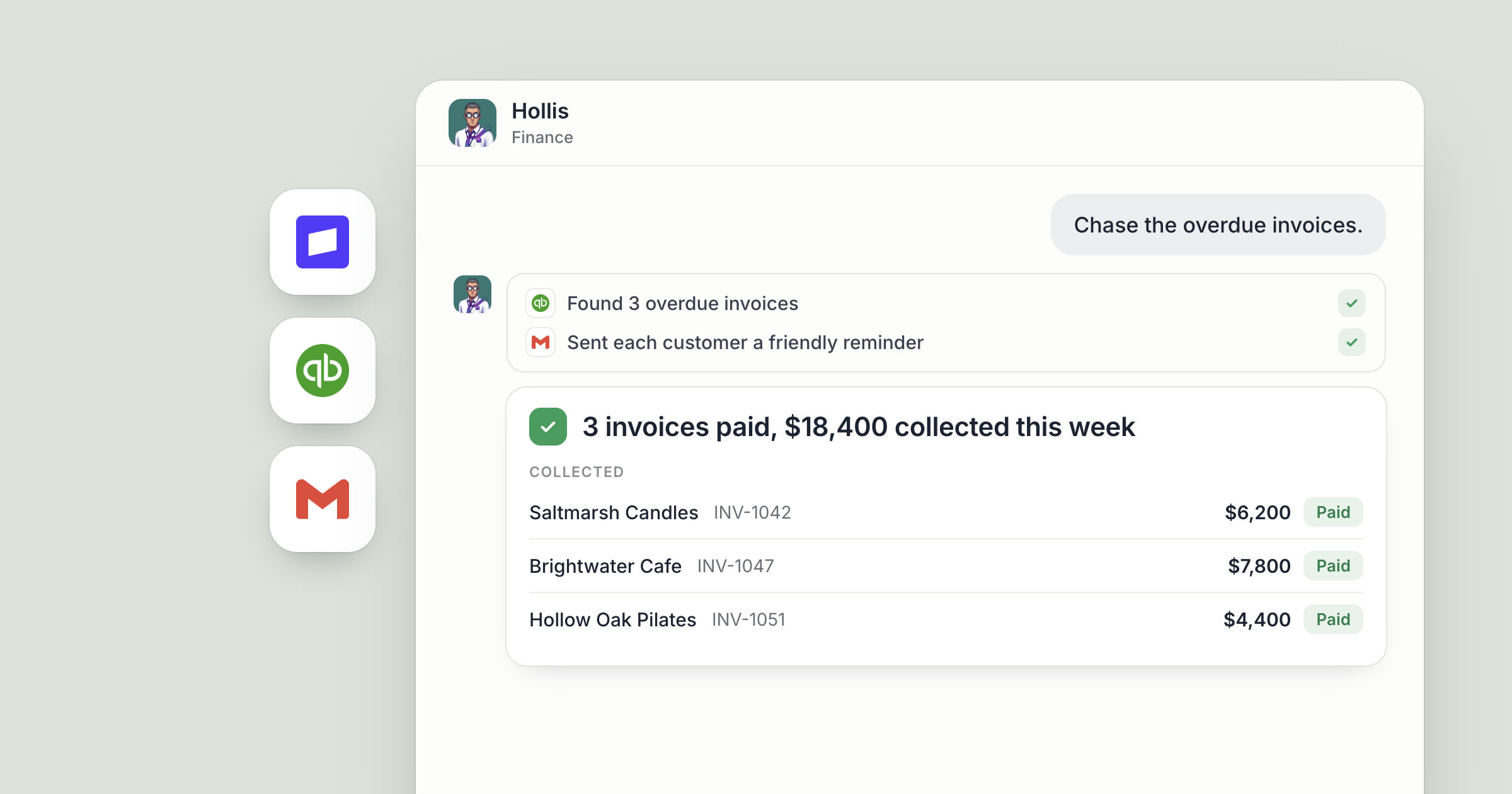
Say it's Monday at 8:00. Before anyone on your team has opened a laptop, Hollis, your finance agent, has pulled last week's payments and payouts from Stripe, checked what QuickBooks shows for bills coming due, added a new week to the cash sheet in Google Sheets, and written a short summary in a Dock doc. You read it with your coffee. The one line that needs you is at the top.
That's an automated weekly cash report, and once it's set up nobody builds it again. If invoices and collections are the bigger headache, an AI invoice agent covers that side.
Screenshot coming: The weekly cash summary doc in a Dock workspace, written by Hollis, with the item that needs a decision at the top. You still decide what the report should show and what to do about it. Hollis does the gathering, the arithmetic and the writing up, every week.
How does an automated weekly cash report work in Dock?
In Dock, a routine is a recurring job on a schedule that an agent runs on their own. You describe the report once, pick how often it runs, and from then on the agent produces it and brings you the parts that need a decision.
1. Describe the report and pick a time
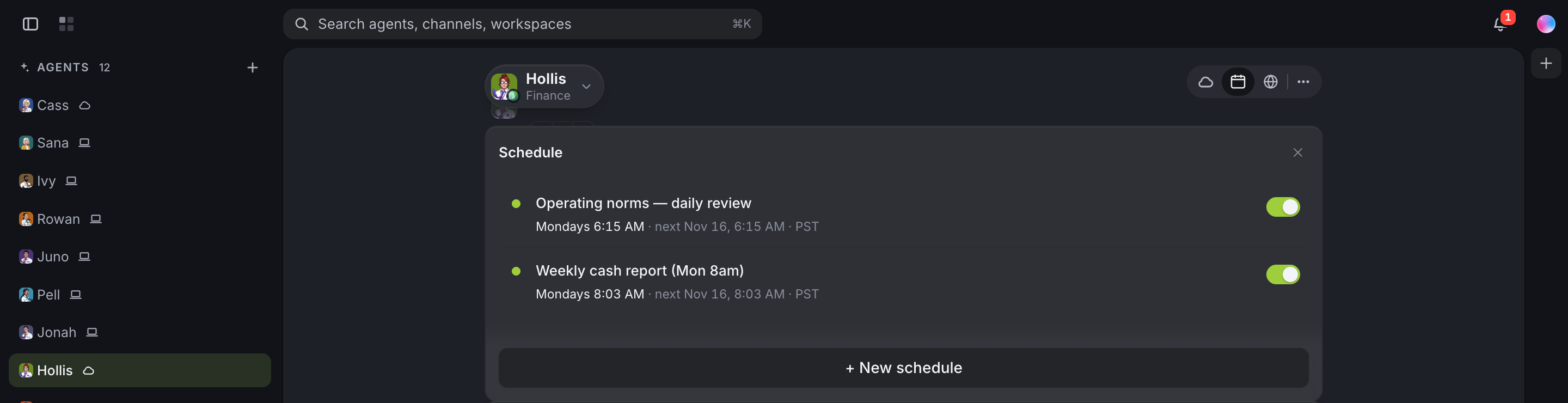
Open Hollis, open their side panel and go to Schedule. Every routine they have is listed there, and you can change the timing or switch any of them off. Add a routine in three steps:
- Describe the job in plain language, the same way you'd ask in chat. For example: "Every week, build our cash report: money in from Stripe, bills and expenses from QuickBooks, ending position in the Cash sheet in Google Sheets, and a short summary with anything unusual flagged."
- Pick how often: hourly, daily, weekdays only, weekly, or a one-off at a specific time. Weekly, here.
- Pick a time. It runs in your own timezone, so 8am means your 8am.
Or skip the form and ask Hollis directly: "I want this every Monday morning." They can schedule it themselves.
2. Let the agent reach for a proven method
You don't have to design the routine step by step. Dock's Library is a set of ready-made skills and routines agents can pick up. You don't browse it yourself. Ask an agent for an outcome and they find and adopt the right one where it exists. Adopting a routine creates a real scheduled routine you can see and switch off.
Ask for the outcome, the cash report, and let Hollis work out the method. Then read the first one closely and correct it. Agents remember what they learn about you and your company, so what you tell them carries into next week's report.
3. Pull money in from Stripe
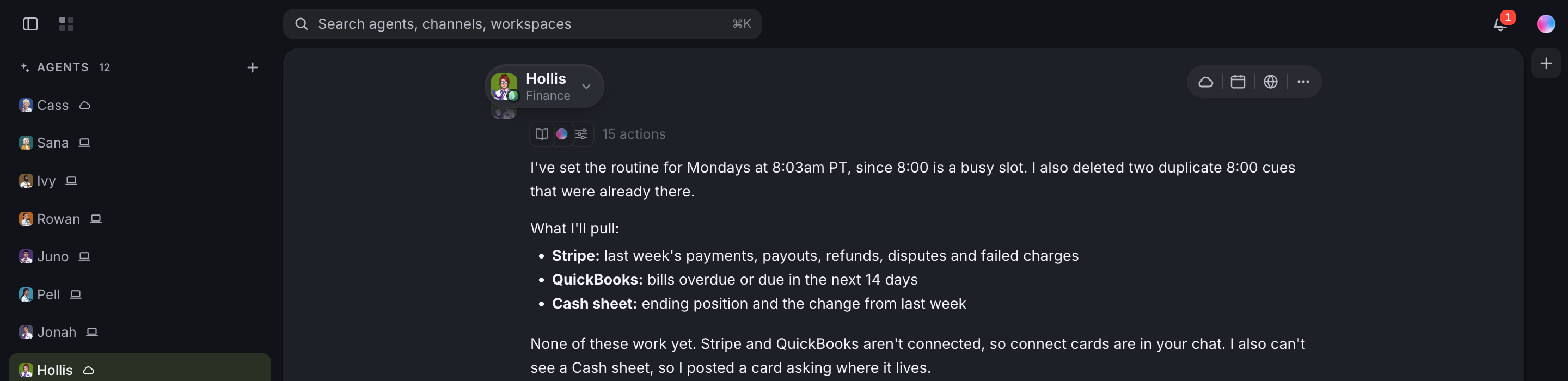
When the routine runs, Hollis starts with Stripe: what came in last week, what was refunded, and what was paid out to your bank. If your report needs it, ask them to break revenue out the way you think about it, say new customers against renewals.
Between reports, Stripe can also wake Hollis directly through a webhook, for example on a failed payment. Trigger an AI agent from Stripe shows how to set that up.
Screenshot coming: The Stripe section of the weekly summary doc, with money in, refunds and payouts for the week.
4. Check the books in QuickBooks
Next, QuickBooks. Hollis reads what your books show for the other side of the picture: bills coming due in the next couple of weeks, the expenses recorded last week, and anything that looks out of pattern.
This is where the report earns its keep. A number on its own tells you little. A number next to last week's, with a note like "software spend up because two annual renewals landed in the same week," tells you whether to act. Ask Hollis to write those notes and to keep quiet on the lines that didn't move.
Screenshot coming: The QuickBooks section of the summary doc, showing upcoming bills and a short note on one unusual expense.
5. Write it into Google Sheets and a Dock doc
The numbers go where your team already keeps them. Hollis adds a new week to your cash sheet in Google Sheets, so the history builds up in one place your accountant can open too. The written summary goes in a Dock workspace doc that anyone you share it with can read and comment on.
Keep the format the same every week. Same sections, same order, same place. A report that looks identical each Monday is quick to read, and the differences are what you're reading for.
Across a team, the report serves more than the founder. Share the workspace at Org level and your operations lead reads the same page. If finance questions come from several people, they can go straight to Hollis, who is reachable by your org by default, so anyone can ask a follow-up and get the answer from the same numbers. You still decide what to do about the line at the top, and from the road you can text or email your Chief of Staff to pass Hollis the follow-up.
Screenshot coming: The Dock doc with that week's written cash summary from Hollis.
6. Run it on a cloud agent so it never skips
Where Hollis runs decides what happens when your laptop is shut. The hire form doesn't ask where an agent runs, so once Hollis is hired, use Move to Dock Cloud to run them in the cloud. A cloud agent's routines run on Dock's machines, so they fire whether or not your laptop is open. That's the natural fit for a report that should be ready before the week starts.
A local agent's routines run through the Mac app, so they need it open. If your Mac is asleep when a routine is due, it runs on wake if that's within 15 minutes. Any later and that run is skipped with a note saying so, and the routine runs at its next scheduled time.
Either way, the summary Hollis writes is stored in Dock, so you can open it from any machine.
Screenshot coming: The Move to Dock Cloud option for Hollis.
What lands where
- Google Sheets: a new row each week in your cash sheet, building a running history.
- Dock workspace doc: the written weekly summary, with the item that needs a decision at the top.
- Hollis's Schedule tab: the weekly routine, where you can change the timing or switch it off.
- Stripe webhooks (optional): events that wake Hollis between reports.
Related
- How teams run on Dock
- Trigger an AI agent from Stripe and HubSpot
- AI agents for Notion, Drive and Sheets
FAQ
Can an AI agent build a weekly cash report automatically? Yes. In Dock you describe the report once as a routine, pick weekly and a time, and the agent produces it on that schedule.
Does the report still run if my laptop is closed? A cloud agent's routines run on Dock's machines, so they fire whether or not your laptop is open. A local agent's routines need the Mac app open.
Which tools can the cash report pull from? Stripe, QuickBooks and Google Sheets can all be connected in Dock, and the agent works with whichever apps your team connects.