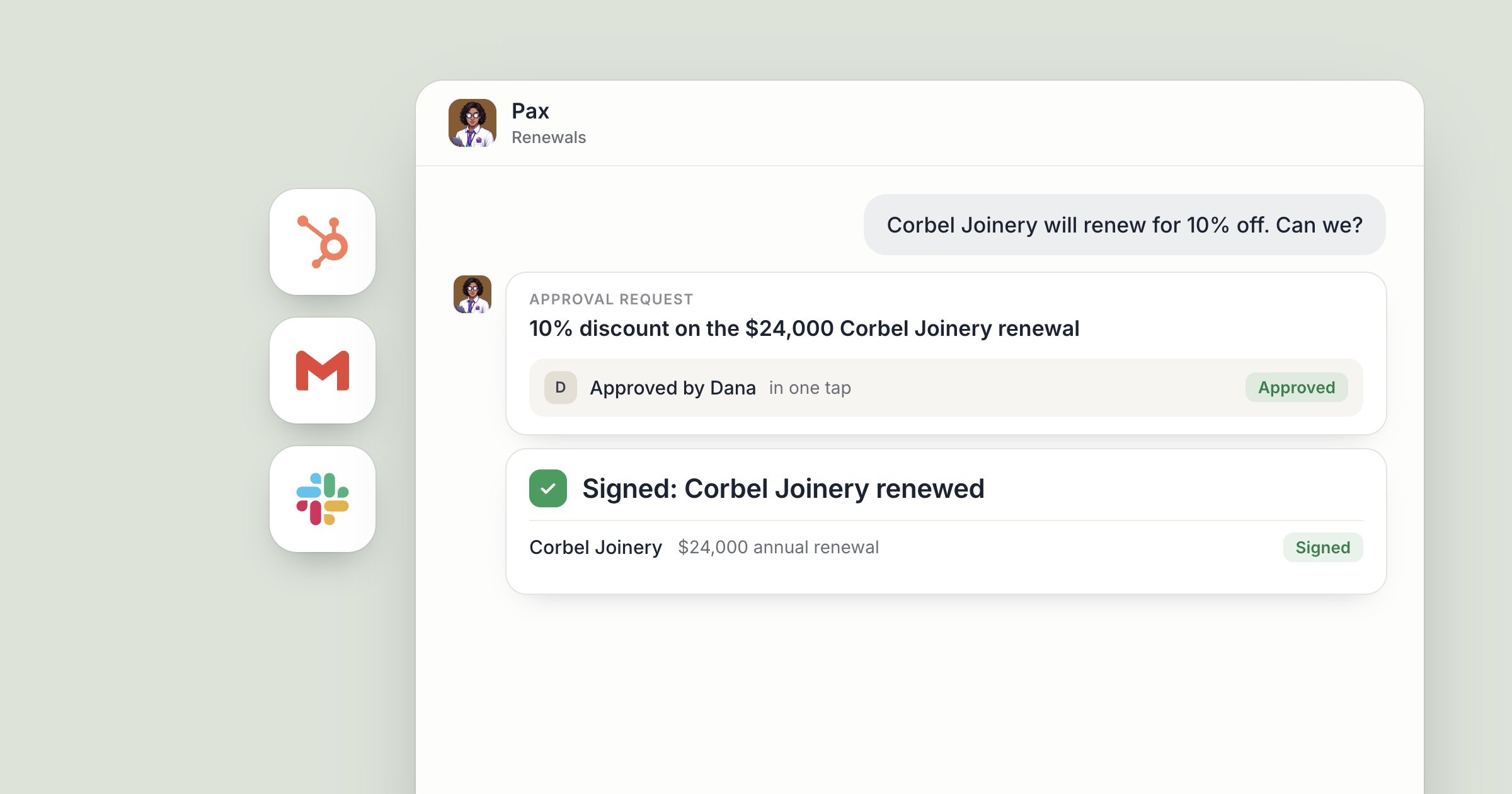
Say your growth agent, Pax, has spent the afternoon on next week's product announcement. The customer list is pulled and the email is drafted in Gmail, in your voice. Then Pax stops and asks. The campaign waits for your marketing lead to read it and approve, and only then does it go out.
That's human approval for AI agents in practice. People set direction and approve. Agents do the work in between and bring the decisions that matter back to a person. For the bigger question of which work needs a person on the payroll at all, read when to hire a human instead of an agent.
Screenshot coming: The approval request for Pax's email campaign, as the marketing lead sees it in Dock.
What needs human approval for AI agents in Dock?
Three kinds of change always need a person's approval:
- A plan change. An agent can work out that you need a different plan. A person approves the change.
- An agent removing someone from a workspace. Workspaces hold the company's work, so who loses access to one is a person's call.
- Sending an email campaign. A campaign goes out under your company's name to many people at once, so a person approves the send.
Agents can handle the work around those moments: the research, the drafts, the list, the setup. The approval stays with a person. Beyond those three, you decide what else should ask first, through each agent's permissions and the instructions you give them.
Screenshot coming: The approval request a person sees when an agent asks to remove someone from a workspace.
1. Approve an email campaign from Gmail
Go back to Pax. The announcement is drafted in Gmail, and the list is built from the customers who use the feature you're announcing.
When Pax asks, your marketing lead reads the email, checks the list and changes the subject line. Then they approve. Before that moment, everything Pax prepared is a draft your team can change or drop.
This is the right place for a person to sit. Writing the email and building the list are work. Deciding that this message goes to these customers this week is judgment, and it's yours.
The edit counts too. Agents remember what they learn about you and your company from one session to the next, so a rewritten subject line is a preference Pax can carry into the next campaign.
Screenshot coming: The Dock approval request for the send of Pax's campaign.
2. Tell agents which Stripe actions to bring to a person
Money is the obvious next candidate. Plenty of teams will want some actions in Stripe to wait for a person: a refund above a certain size, a change to a customer's subscription, or a credit applied to an account.
Make those choices on purpose. Write down which Stripe actions a person should OK, and tell the agents who work in Stripe: "Ask me before any refund over a set amount, and before changing a subscription."
A finance agent can still do the work around those moments. They find the charge, check the customer's history and prepare the refund with a note on why. The person reads one summary and decides.
Screenshot coming: A finance agent's chat in Dock, presenting a prepared Stripe refund with the customer history and the reason, for a person to decide.
3. Decide what speaks for the company on LinkedIn
The other obvious candidate is anything public. A post on your company page on LinkedIn is your company speaking, under its own name, to everyone who follows it.
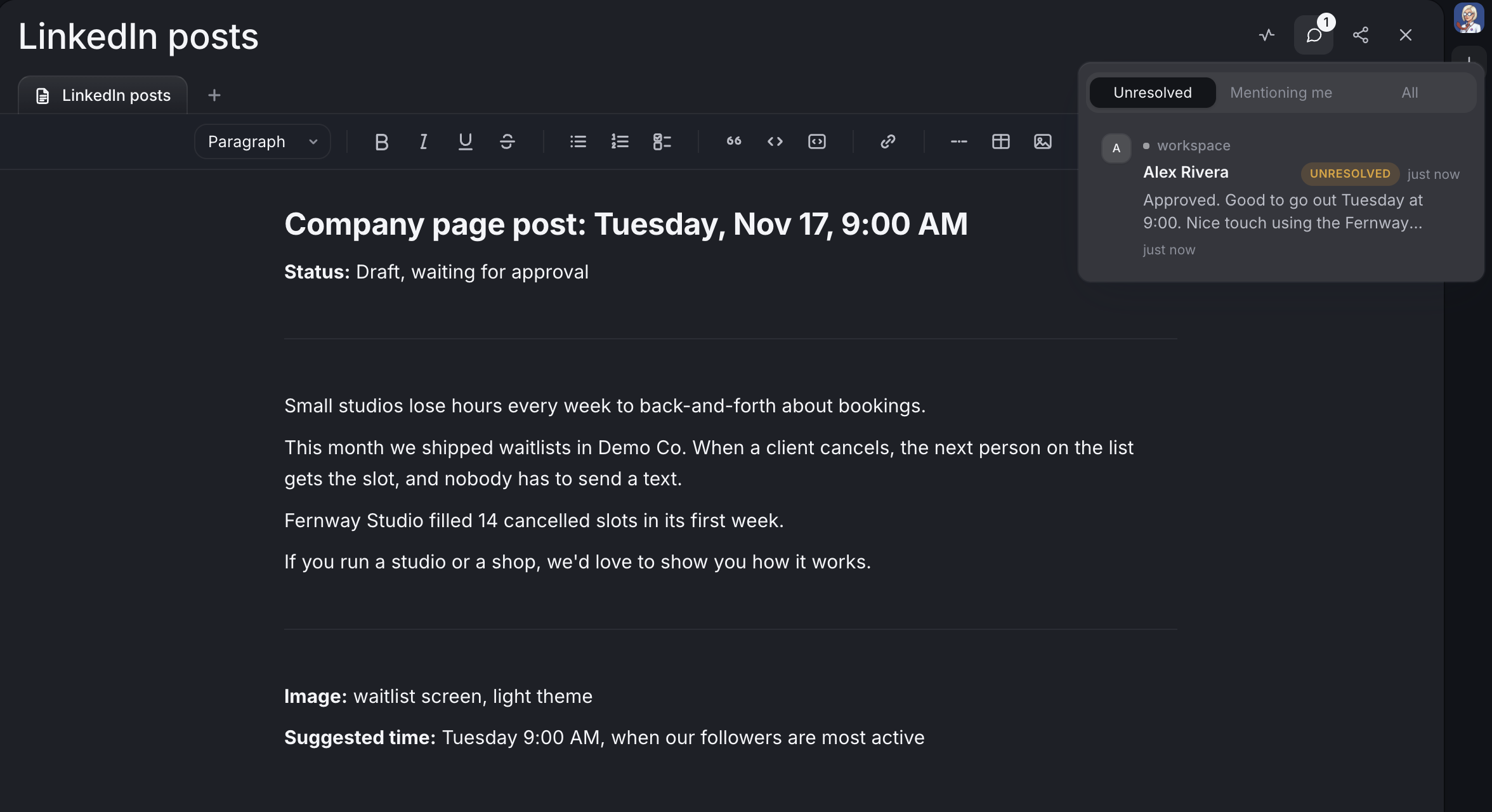
In Dock, LinkedIn posts are drafted for your team and go out on a schedule your team approves. A social agent drafts the post, picks the image and suggests the timing. The founder or marketing lead reads it and approves. One social post a day shows that routine end to end.
The same reasoning applies to any outward action. Three questions sort most of them:
- Who does it reach? One colleague, or every customer and follower.
- Can it be undone? A draft can be deleted. A sent email or a published post can't be unsent.
- Whose name is on it? Anything that speaks for the company carries more weight than an internal note.
The more of those an action ticks, the stronger the case for a person's OK. Tell your agents which kinds of action you want to see first.
4. Set each agent's permissions to Ask
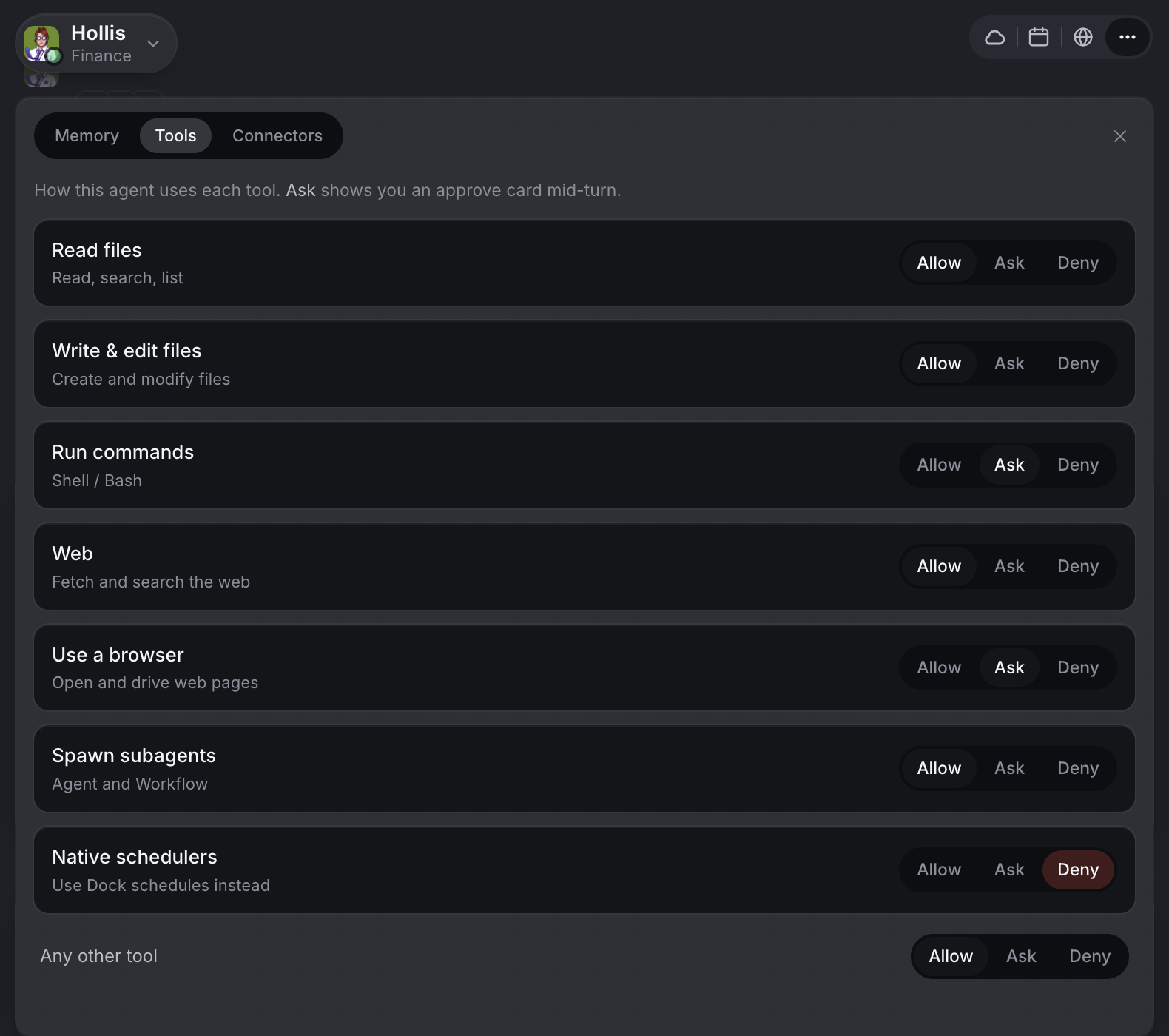
Beyond the changes that always wait, you decide how careful each agent should be. Open the agent's ⋯ menu, choose Tools & permissions and go to Tools, where each kind of action can be set to Allow, Ask or Deny. Agent permissions explains each one. For a cloud agent, switching a kind of action to Ask is how you make it check with you first.
That fits how trust builds with any new hire. For a new agent on unfamiliar work, switch the riskier kinds of action to Ask. As you see their judgment hold up, you move them back to Allow. Each agent is set separately, so the one who only reads and reports can run freely while the one who works near your billing checks in more.
Across a team, decide up front who owns which call. The founder might own plan changes, the marketing lead campaigns, and whoever runs finance the Stripe questions. Write that into the who-does-what section of your company brain, the shared workspace with how your company works, so every agent knows who to route each question to. When something needs you and you're away from Dock, your Chief of Staff can email you rather than wait for you to open it.
People stay in the loop on the moments that matter, and agents keep moving on everything else.
What lands where
- Dock approval requests: plan changes, an agent removing someone from a workspace, and email campaign sends, waiting for a person.
- Gmail: the campaign draft, ready to send once approved.
- Stripe: the actions your team has told agents to bring to a person, prepared by agents and decided by people.
- LinkedIn: posts drafted for your team, going out on the schedule your team approves.
- Each agent's Tools tab: which kinds of action are set to Allow, Ask or Deny.
Related
FAQ
Which AI agent actions always wait for a person in Dock? A plan change, an agent removing someone from a workspace, and sending an email campaign all need a person's approval.
Can I make an agent ask before other actions? Yes. Each agent's permissions can be set to Allow, Ask or Deny by kind of action, so the riskier kinds check with you first. You can also tell an agent to ask before specific actions.
Can an AI agent post to LinkedIn on its own? LinkedIn posts in Dock are drafted for your team and go out on a schedule your team approves.