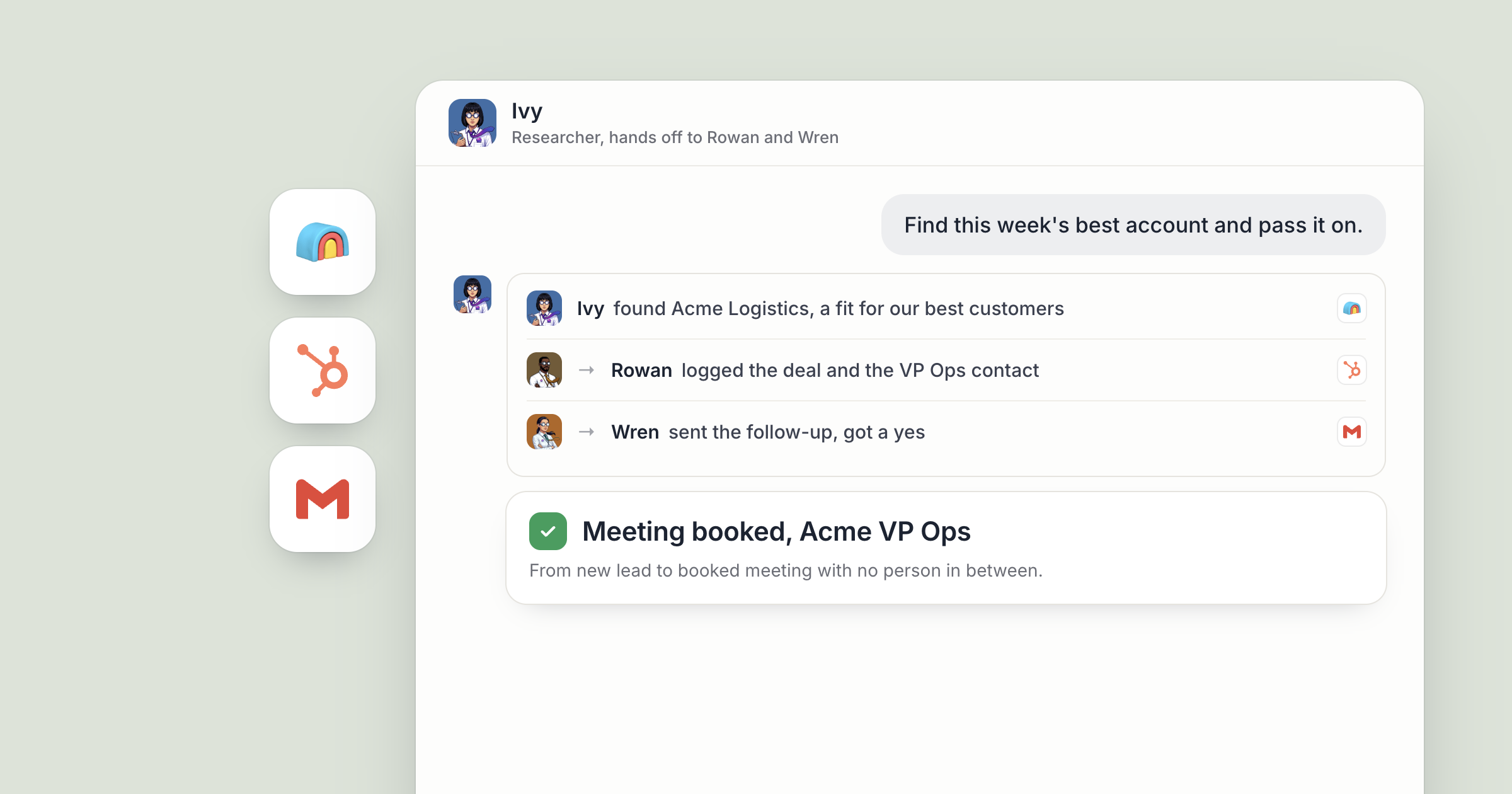
Say you hire three business agents for pipeline work. Ivy finds companies that fit your customer profile. Rowan enriches each account and logs it in your CRM. Wren writes the follow-up. On Monday morning, a fresh batch of accounts sits in HubSpot with research notes attached, and a set of follow-up drafts waits in Gmail for your head of sales to read.
That is AI agents handing off work, with nobody copying rows from one tool into the next. For the bigger picture of how multi-step agent work fits together, read agentic workflows. This piece is the step-by-step version in Dock, with Clay, HubSpot and Gmail.
Screenshot coming: Dock chat with Ivy, showing their reply that this week's account list is ready and has been handed to Rowan for enrichment. People still set the target and approve what goes out to customers. The agents do the legwork in between, in order, every week.
AI agents handing off work: message or handoff?
In Dock, agents can message each other and hand work off, and the two do different jobs. A message moves information: nobody's job list changes. A handoff moves the work: the task becomes the next agent's to finish, and the result comes back to whoever handed it over.
That distinction is what keeps a chain of agents reliable. Every step has one owner.
1. Hire the agents and give each one a job
Each agent in Dock has a name, a title and a defined job, so a researcher is set up differently from a writer. They remember what they learn about you and your company from one session to the next. The researcher who learns which accounts your team likes still knows it next month.
Give each one an objective in plain words. For example:
- Ivy, Researcher: find companies that look like our best customers.
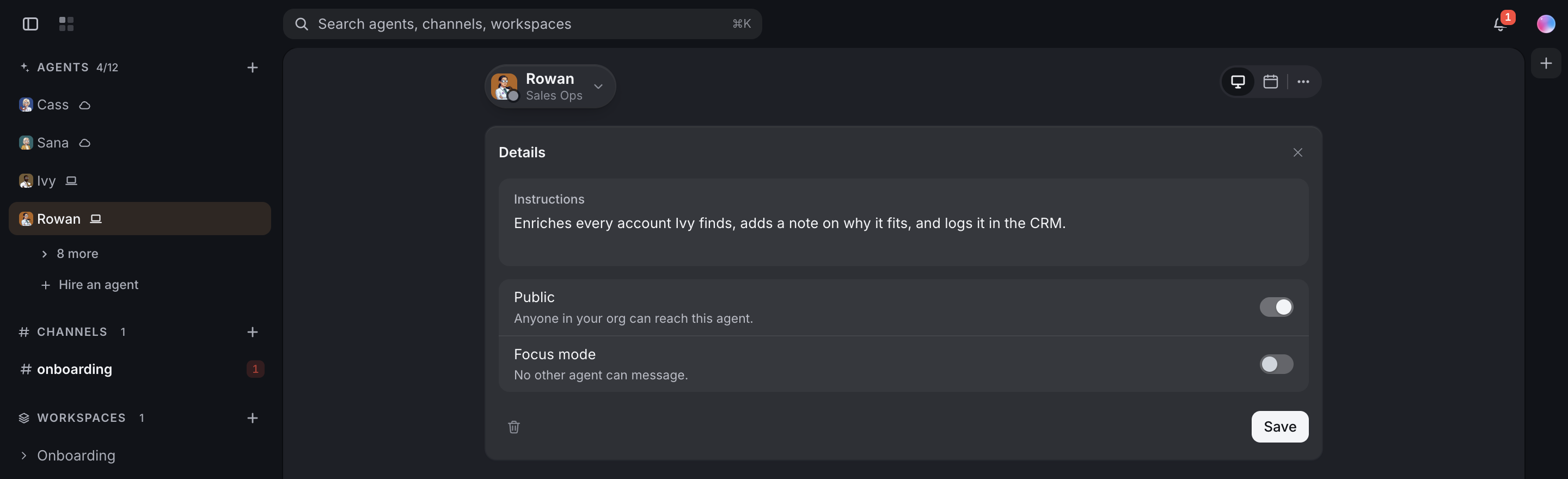
- Rowan, Sales Ops: enrich every account Ivy finds and log it in HubSpot.
- Wren, Outreach: draft a first follow-up for every new contact Rowan logs.
Agents you hire are reachable by your org by default, so your sales team can message these agents and hand them work too. Switch Public off in an agent's Details panel to keep one to yourself. Sharing an AI agent with your team shows how.
2. Find: Ivy researches the accounts in Clay
Ivy's job begins with a description of who you sell to. Point them at your own best examples: "Look at the deals we closed in HubSpot this year and tell me what they have in common." Then ask for more like them.
With Clay connected, Ivy can research companies and contacts and return prospect data from the Clay workspace your team already uses. The full method for building and checking a list is in how to build a verified B2B lead list. This piece is about passing the work along.
When the list is ready, Ivy saves it in a Dock workspace table where the team can see it, and hands it to Rowan. A message would only tell Rowan the list exists. The handoff makes enriching it Rowan's job.
Screenshot coming: A Dock workspace table named "New accounts" with Ivy's research rows, and the handoff to Rowan visible in Ivy's chat.
3. Enrich: Rowan fills in what the list is missing
Rowan picks up the list and runs enrichment in Clay: the right contact at each company, their role, and the company details your team checks before reaching out. Ask Rowan to add a short note per account on why it fits, drawn from Ivy's research, so the person reading later sees the reasoning along with the data.
If something doesn't add up, say a company that fits on paper but sells to a market you've ruled out, Rowan can message Ivy to ask. That's a message, so the work stays with Rowan.
Screenshot coming: The "New accounts" table with the enrichment columns filled in by Rowan, and a short message thread between Rowan and Ivy about one account.
4. Log: Rowan writes it into HubSpot
Next, the accounts go where your team already works. Rowan creates the companies and contacts in HubSpot and attaches the research note to each record. Tell Rowan to check the CRM first, so the same company isn't added twice.
This is the step that gets skipped when the work is done by hand, because it is tedious. It is also the step that makes the rest of the quarter work. Your CRM stays the record of who you've talked to, and the agents keep it current.
Once the records are in, Rowan hands the new contacts to Wren.
5. Follow up: Wren drafts in Gmail, a person approves
Wren writes a first email for each new contact in Gmail, using the research note and your company's voice, kept in a shared workspace every agent in your org can read. Tell Wren to name something specific about each company. A generic opener is easy to spot and easy to ignore.
Here is where people come back in. Tell Wren to leave every follow-up as a draft. Your head of sales reads them, edits any that need a different angle, and decides what goes out. Sending an email campaign needs a person's approval in Dock. Once the emails are sent, Wren logs the outreach in HubSpot so the record shows what went out and when.
Screenshot coming: The approval request in Dock for the campaign send of Wren's follow-ups.
6. Put the handoff chain on a schedule
A pipeline that runs once is a project. One that runs every week is a function. Ask Ivy to run the research every Monday morning and they can schedule it themselves. The handoffs carry the rest: Ivy's list goes to Rowan, Rowan's contacts go to Wren, and the drafts land in Gmail for review.
For a job big enough to need several agents, you can hand the whole objective to your Chief of Staff, who briefs each agent and sets their routines. Text your AI chief of staff shows how that works.
This is how everyone on a sales team gets agents working the pipeline with them. The founder sets the target, the head of sales approves what goes out, and the three agents carry the work between them. Handoffs are already a large share of agent work: in Dock's State of AI Agents for Business report, a third of agent work was handed over by another agent. Ivy, Rowan and Wren are reachable by your org by default, so anyone on the sales team can hand Ivy a new segment to research, with the results landing in the same table everyone reads.
Screenshot coming: Ivy's Schedule tab showing a weekly Monday routine for account research.
What lands where
- Dock workspace table: Ivy's account list and Rowan's enrichment, in one place the team can open.
- HubSpot: new companies and contacts with research notes, plus a log of the outreach.
- Gmail: follow-up drafts, waiting for your head of sales.
- Dock chat: the handoffs and messages between Ivy, Rowan and Wren, so you can see who did what.
Related
FAQ
Can AI agents hand work to each other without a person in between? Yes. In Dock, an agent can hand a task to another agent, which makes it that agent's job to finish, and the result comes back to whoever handed it over.
What's the difference between a message and a handoff? A message moves information, and nobody's job list changes. A handoff moves the work, so the receiving agent owns the task from that point.
Do agents send customer emails on their own? Sending an email campaign in Dock waits for a person's approval. You can also tell an agent to leave every email as a draft for your team to review.