The 10 best Gumloop alternatives are Dock, n8n, Make, Zapier Agents, Activepieces, Relevance AI, Dust, Lindy, Claude and Grok Bot, and they fit different needs. n8n, Make, Zapier Agents and Activepieces suit teams that want to wire automations step by step, with n8n and Activepieces covering self-hosting. Relevance AI and Dust are the closest like-for-like agent builders. Lindy and Claude give your people a ready helper, and Grok Bot suits one person who wants bots of their own. When a company wants agents that own a job end to end, rather than agents its people build and maintain, we think Dock is the better fit, because you hire specialists who arrive knowing the job, with roles, reporting lines and a Chief of Staff who runs the team. We build Dock, so weigh our view accordingly.
Coding already made this shift. Developers now direct coding agents that write, test and ship the code. Business work is next: finding buyers, following up, publishing, chasing invoices. Gumloop and Dock both sell agents for that work. They differ on who makes the agents, and this post sorts the 10 Gumloop alternatives by that line.
Why founders look for a Gumloop alternative
Gumloop is a serious product. Its homepage features customer stories from Gusto, Samsara and Instacart, lists 400+ connectors, and calls Gumloop "the multiplayer AI agent builder," where anyone at a company can "build agents with any AI model, any integration while IT controls access." Gumloop is also a different product than many older reviews describe. A DataCamp tutorial from February 2026 describes "its canvas-based interface, where workflows are built by connecting nodes." On the Gumloop pricing page, as of October 22, 2026, those workflows sit under a heading called "Workflows (Legacy)," and the product leads with agents: you give one instructions, connectors, skills and triggers, and it runs in Slack, Microsoft Teams, email or a text thread. The reasons people look elsewhere come from Gumloop's own pages.
Your team builds the agents. Gumloop's homepage says "Let your experts build the agents" and "Understanding a task is the only prerequisite to automating it." It describes the model as "Built by one, used by all: One teammate builds an agent and the whole org puts it to work." That works well when someone on the team enjoys building. It also means that person now owns each agent's instructions, connectors, triggers and fixes.
The bill counts usage, plus a fee. Per the Gumloop pricing page, as of October 22, 2026, Pro "Starts at $37 / month" after a 14-day free trial and "includes 7,400 + 12,600 bonus credits (20,000 total)." Credits are "indexed at $0.005 each" and pay for model tokens, compute and paid tool calls at list price, "with a base cost of 1 credit per call." On top of that, "Gumloop charges you an 8% orchestration fee on the full list cost of the task," and the fee rises to 16% if you bring your own model keys. Unused credits do not roll over, and if you go past 20,000 mid-month, "Your agents will stop working" until you turn on pay as you go, which "is not enabled by default."
The team controls sit on Enterprise. Pro includes unlimited agents, seats and teams, shared credentials and agent-scoped connector policies. Role-based access control, SCIM and SAML, audit logs, the admin dashboard, AI spend insights and a virtual private cloud are marked as Enterprise features, and Enterprise is custom-priced. Gumloop's human-in-the-loop docs show approvals per connector or per tool, and the default for a new connector is "Always allow," so someone has to switch on the checks they want.
None of that is a flaw. It is the shape of a platform for building agents. Our guide to AI agents for business covers the other shape.
Build your own agents, or hire agents that own the job
There are two kinds of product on this list.
The first kind gives you the parts. Gumloop, n8n, Make, Zapier Agents, Activepieces, Relevance AI and Dust all work this way. They range from step-by-step workflow canvases to agents you describe in plain language, but in each case someone on your team decides what the agent does, connects their tools, tests the result and keeps it working when an app changes. Lindy, Claude and Grok Bot are a variation: a ready helper that does tasks when a person asks.
The second kind gives the company a team. Specialist agents each own a recurring job in sales, marketing or operations, hand work to each other and bring a person only the decisions. A Chief of Staff keeps them coordinated, so you manage one conversation instead of ten. That is what Dock is built for, and it is the bet behind small teams, big companies: a small team that runs a company which used to need many more people.
A quick test tells you which you need. If you can draw the process as a flowchart and want to control every branch, a builder is the right tool. If you keep wishing someone owned the pipeline, the content calendar or the overdue invoices every week, without being asked, you are describing a team.
How we picked
We read the pages that rank for "Gumloop alternatives" and "Gumloop competitors" this week, plus the comparison pages Gumloop publishes itself, and kept the tools a founder or ops lead would realistically shortlist. n8n, Make and Zapier appear on almost every list. Relevance AI, Lindy, Activepieces and Dust come up often, and Gumloop's own comparison pages include Claude Cowork, Dust, Grok Bot, n8n, Relevance AI and Zapier.
We read Gumloop's homepage, pricing page and docs on October 22, 2026, and checked Make and Activepieces on their own sites the same day. Prices for the other tools come from their own pages, rechecked on October 22, 2026 for our Viktor alternatives guide. Make's pricing page did not show plan prices when we checked, so we quote only what its FAQ says. Anything we could not confirm on a vendor's own page, we left out. Vendors change prices often, so check the linked page before you buy.
Where Dock is the better fit
Gumloop is a capable platform, and it has moved a long way toward agents. These are the reasons we think hiring agents suits a company that wants recurring work run without someone on the team building each agent.
You hire specialists instead of building them. In Dock, you hire ready-made specialists from the Agent Marketplace for jobs like finding leads, running outbound, publishing content or chasing overdue invoices. Gumloop's homepage asks your experts to build the agents, and its pricing page closes with "Build your team of agents."
Each agent has a place on the team. Each Dock agent has a name, a role, a reporting line and permissions, and they hand work to each other. A Chief of Staff runs the team, and you can reach them by email or iMessage. Gumloop agents can delegate to other agents you attach to them, per its API docs; the difference is that you design those links yourself.
The memory belongs to the company. What Dock agents learn goes into the Company Brain, so it stays with the business when people move on or you change models. Gumloop also has a Company Brain, which its docs describe as "your company knowledge base for agents": you connect your tools once, Gumloop indexes them, and agents search across them. The gap here is smaller than it looks. In Dock, a team of specialists shares the brain rather than each agent you build.
You choose where agents run. Each Dock agent runs on your Mac or in the cloud, where cloud agents work 24/7 on schedules, on models from Anthropic, OpenAI and other labs, with 2,000+ platforms built in. Gumloop runs in its own cloud, with deployment in your own AWS, Azure or Google Cloud account as an Enterprise option, and it offers 35+ models.
Approvals are part of the job. Shawn Dej, CEO of YourStory AI, runs an eight-agent sales org in Dock that works 400+ schools and 150+ community colleges. Every send waits for his OK, which he gives by text. Gumloop supports approvals too, set per connector or per tool, with "Always allow" as the default.
Pricing counts people, with agents included. Dock is per person: $20, $100 or $200 a month with 5, 10 or 20 always-on agents, as of October 2026. Gumloop has unlimited seats and bills usage: credits at list cost plus an 8% orchestration fee, and agents pause at the monthly allotment unless pay as you go is on.
Where Dock is not the right pick
- You want to design every step yourself. Gumloop, n8n, Make and Activepieces give you more control over each step, and a canvas you can inspect. If the process is fixed and rule-based, a workflow is often cheaper and more predictable than an agent. Our piece on AI agents for automation explains where if-then rules keep winning.
- Many people want to build their own agents. Gumloop has unlimited seats on Pro, so a large team that wants everyone building pays for usage, not people. Dock is billed per person.
- You need compliance paperwork and enterprise controls today. Dock is a young company, and its SOC 2 Type II is not yet attested. Gumloop's homepage lists SOC 2 Type II, SAML SSO and SCIM, and deployment in your own cloud account, Dust lists SOC 2 Type II, and Lindy's Enterprise plan offers a signed BAA.
- You need to self-host. n8n's Community Edition and Activepieces run on your own servers. Dock runs on your Mac or in Dock's cloud.
- You want one helper for your own work. Claude or Grok Bot may already come with a plan you pay for.
Won't the big AI labs just build this?
They might. Anthropic's Claude now runs scheduled tasks and sits in Slack as @Claude, and SpaceXAI's Grok Bot gives each bot a cloud computer and lets bots pass work between themselves. Both are on this list, and the labs may well add more team features. Today, what each lab ships runs on its own models and is built around one person's account or one general agent per channel. Our bet is that a company will want a team of specialist agents with roles and a reporting line, a memory the business owns, and the freedom to use whichever lab's model is best for each job. That is the layer Dock builds: the team, the memory and the permissions live in Dock, and the models underneath can change as the labs improve. Better models from the labs help Dock agents too. This is our reasoning, not a certainty.
Is the category crowded? Yes. Most products in it are builders you configure, like Gumloop, n8n, Make, Zapier Agents, Activepieces, Relevance AI and Dust, or helpers for the people you have, like Lindy and the lab agents. Dock aims at a narrower job: a team that runs specific work end to end, like lead generation, follow-ups and collections.
Gumloop alternatives compared
| Tool | What it is | Price (as of Oct 22, 2026) | Who does the work | Billed by |
|---|---|---|---|---|
| Dock | A team of business agents the company owns | $20, $100 or $200 per person a month, with 5, 10 or 20 always-on agents | Specialist agents with roles; people make the calls | Person, with agents included |
| Gumloop | A platform for building AI agents | Pro from $37 a month for 20,000 credits, 14-day trial; Enterprise custom | Agents your team builds | Credits, plus an 8% orchestration fee |
| n8n | Workflow automation with agent nodes | Starter €20, Pro €50, Business €667 a month billed annually; self-host free | Workflows your team builds | Workflow executions |
| Make | Visual automation with AI agents | Free with 1,000 credits a month; paid plans on the pricing page | Scenarios and agents your team builds | Credits |
| Zapier Agents | Agents on top of Zapier | Agents Free (400 activities); Agents Pro from $33.33 a month billed annually | Agents your team builds | Activities |
| Activepieces | Open-source automation and agents | Free; Plus $20 and Team $200 a month | Flows and agents your team builds | Credits |
| Relevance AI | An agent builder | Pro $19 a month billed annually ($29 monthly) | Agents your team builds | Build users, then Actions |
| Dust | A platform for building team agents | Pro €24 per seat a month billed yearly (€30 monthly) | Agents your team builds | Seat, then credits |
| Lindy | One shared helper in Slack, iMessage and email | Team from $29.99 per active user a month for 3,000 credits | One helper, on request or on a schedule | Every active user, then credits |
| Claude | Claude for each person, plus @Claude in Slack | Pro $20 a month; Team $25 per Standard seat ($20 billed annually) | The person who asked, or one Claude per channel | Seat, then usage limits |
| Grok Bot | Named bots on one person's cloud computer | Included with Premium $30, Super $100, Ultra $200, or Teams $30 per user a month | The account owner's bots | Subscription |
The new model: agents that own the job
1. Dock
Dock is where businesses hire AI agents for business work: sales, lead generation, marketing and operations. Each agent has a name, a role, a reporting line and permissions, and they hand work to each other. Every account starts with a Chief of Staff who runs the team, so you manage one conversation instead of ten, and you can reach them by email or iMessage. You hire ready-made specialists from the Agent Marketplace for the jobs your business needs, such as finding leads, running outbound, publishing content or chasing overdue invoices. Dock is backed by Y Combinator (S26).
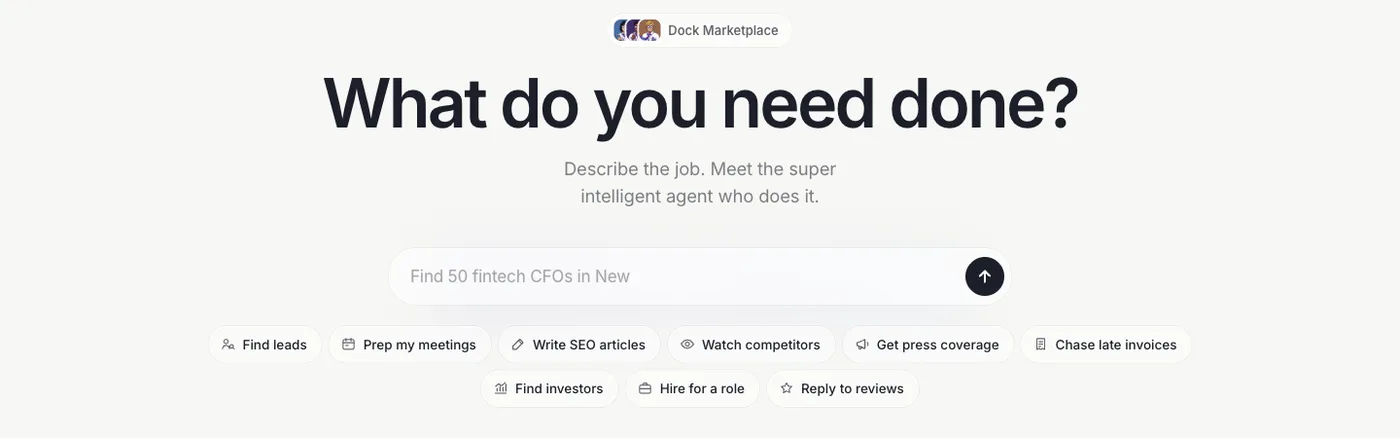
Dock's Agent Marketplace page on October 14, 2026.
What the agents learn goes into the Company Brain, so it stays with the company. Each agent runs on your Mac or in the cloud, where cloud agents work 24/7 on schedules, on the model that suits their job, from Anthropic, OpenAI and other labs. Agents reach 2,000+ platforms built in, plus the apps you connect, and per-agent permissions keep sensitive actions waiting for a person.
Price: per person per month, per the Dock pricing page, as of October 2026. Starter is $20 with 5 always-on agents, Standard is $100 with 10, and Scale is $200 with 20.
Does well: specialists that own recurring jobs and work on a schedule rather than waiting to be asked, with a Chief of Staff keeping them coordinated and nothing for you to build.
The catch: Dock is a young company. Its SOC 2 Type II is not yet attested, it has no visual canvas for designing each step, and seats are billed per person where Gumloop's are unlimited.
Best for: startups and agencies that want recurring sales, marketing and operations work run by a team of agents, with people approving what goes out.
Workflow automation with AI
These four tools are the ones most people mean by "Gumloop alternative": you lay out the steps, add AI where it helps, and the tool runs the flow.
2. n8n
n8n is a workflow automation tool with AI agent nodes that you can self-host, popular with technical teams.
Price: the n8n pricing page, as of October 22, 2026, lists Starter at €20 a month, Pro at €50 and Business at €667, billed annually, and says "All plans include unlimited users & workflows and every integration." A self-hosted Community Edition is free.
Does well: a full workflow run counts as one execution however many steps it has, so cost is easier to predict than Gumloop's per-token and per-tool-call credits.
The catch: agents are workflows you assemble node by node, and self-hosting means your team owns updates and uptime.
Best for: teams with an engineer who wants full control, or who need to self-host.
3. Make
Make is a visual automation platform where you build "scenarios" that move data between apps. Its AI Agents page, as of October 22, 2026, says Make AI Agents are "Available on all plans," connect to 3,500+ apps, and show "every decision an agent makes, step by step, in the Reasoning panel."
Price: per the FAQ on the Make pricing page, as of October 22, 2026, the Free plan includes 1,000 credits a month, and paid Core, Pro and Teams plans are cheaper billed annually. Most actions cost 1 credit, credits expire at the end of the term, and when they run out, "Your scenarios won't continue to run, until credits are added again." The page did not display plan prices when we checked, so see it for current numbers.
Does well: the closest match to the canvas Gumloop started with, with branching logic you can see and a reasoning panel for agents.
The catch: every module that runs uses credits, so a busy scenario can use "anywhere from two credits to thousands of credits in a single run," per Make's FAQ. You still design and maintain each scenario.
Best for: ops teams that think in flowcharts and want a visual builder with a free tier.
4. Zapier Agents
Zapier Agents sit on top of Zapier's automation platform and do "work across 9,000+ apps," per the Agents page.
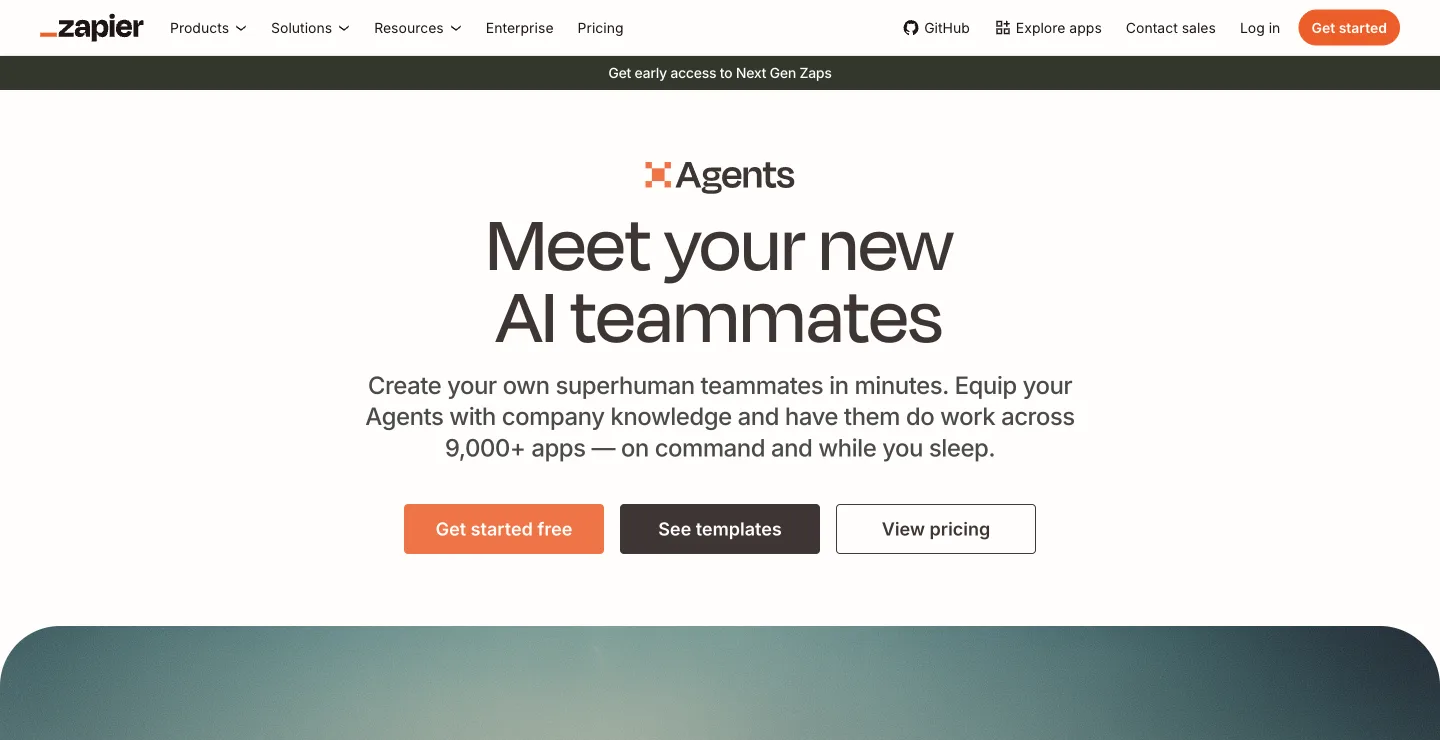
Zapier's Agents page on October 18, 2026.
Price: per the Zapier pricing page, as of October 22, 2026, Agents have a free tier for every user with 400 activities a month, and Agents Pro starts at $33.33 a month billed annually for 1,500 activities. Zapier Pro, the automation plan, starts at $19.99 a month billed annually.
Does well: the widest app coverage on this list, and agents can use the connections your Zaps already have.
The catch: you design each agent, agents sit beside Zaps as a second product to learn, and a paid run stops at 40 activities to ask before continuing.
Best for: teams already running on Zapier who want agents across its app catalog.
5. Activepieces
Activepieces bills itself as "AI Agents with enterprise control," with "Chat, agents, flows, tables, and 760+ apps in one workspace," per the Activepieces homepage, as of October 22, 2026. The homepage says the core is MIT-licensed, and you can run it on Activepieces Cloud, on your own servers with Docker or Kubernetes, or fully air-gapped.
Price: the Activepieces pricing page, as of October 22, 2026, lists Free with 1,000 credits a month and up to 5 users, Plus at $20 a month with 10,000 credits, Team at $200 a month with 50,000 credits and 25 users, and custom Ultimate. "A run is one credit however many steps it has," while AI steps cost 2 to 20 credits depending on the model, and overage on paid plans is $0.007 a credit.
Does well: an open-source option with self-hosting on every plan and flat per-run pricing for non-AI steps.
The catch: like Gumloop, you build every flow and agent. The homepage lists SSO, role permissions and audit logs but does not mention SOC 2.
Best for: teams that want an open-source, self-hostable Gumloop alternative.
Agent builders
These two are the closest to Gumloop today: you describe and configure agents rather than drawing every step.
6. Relevance AI
Relevance AI is an agent builder: its homepage says agents are "Built and customized by your team."
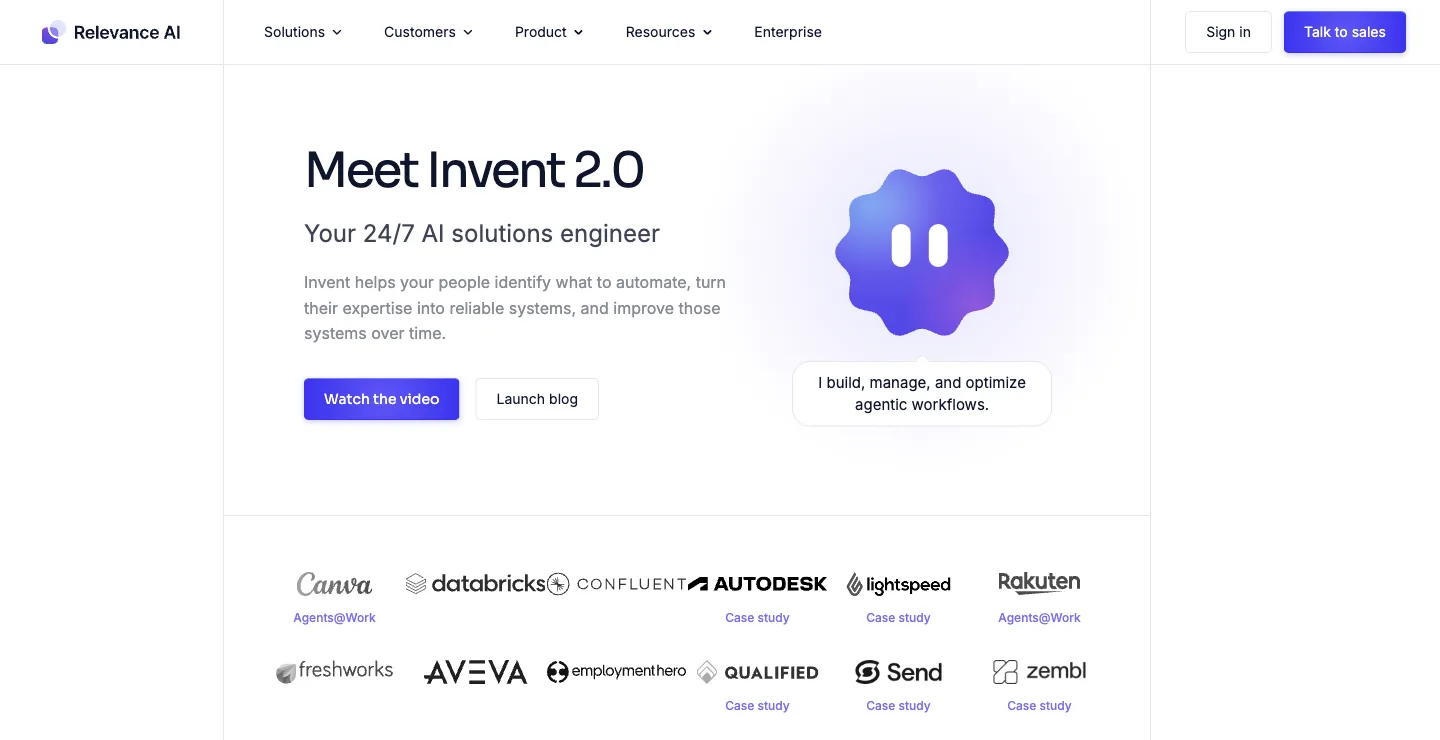
Relevance AI's homepage on October 18, 2026.
Price: the pricing docs, as of October 22, 2026, list Pro at $19 a month billed annually ($29 monthly) with 2 build users, and Team at $234 a month billed annually ($349 monthly) with 5 build users and 45 end users. The Free plan is retired. Extra Actions cost $80 per 1,000.
Does well: a no-code canvas and the Invent tool for teams that want to design custom agents.
The catch: someone on your team becomes the person who builds and maintains the agents, the plan counts build users where Gumloop's seats are unlimited, and every tool run is metered. More in our Relevance AI alternatives guide.
Best for: teams that want to design custom agents on a no-code canvas.
7. Dust
Dust calls itself "Multiplayer AI for human-agent collaboration." Per the Dust homepage, teams "create, share, and run agents" on 20+ models from OpenAI, Anthropic, Google, Mistral and more, with 70+ connectors including Slack, Notion, Salesforce and Zendesk.
Price: the Dust pricing page, as of October 22, 2026, lists seat types on its Business plan for teams up to 100 people: Free with 500 lifetime credits, Pro at €24 per seat a month billed yearly (€30 monthly) with 8,000 credits, and Max at €120 billed yearly (€150 monthly) with 40,000 credits, excluding VAT. Credits do not roll over. Enterprise is custom.
Does well: agents that answer from company knowledge, called by name in Slack, with a model choice per agent and SOC 2 Type II.
The catch: Dust's own homepage is aimed at "AI Operators" who "build it with judgment, deploy it, and run it for their whole team," so someone on your team designs and maintains each agent, and it bills per seat.
Best for: teams with a technical operator who wants to build agents on company knowledge and offer them in Slack.
Ready helpers and personal agents
These three skip the building. Each gives a person, or a channel, a helper that does tasks on request.
8. Lindy
Lindy works as a teammate in Slack and over iMessage and email. The Lindy pricing page describes a "Slack-native teammate in threads + mentions," with scheduled routines, 1,500+ integrations and "Approvals built in."
Price: as of October 22, 2026, Lindy starts you with $50 in free credits that last 7 days. Team starts at $29.99 a month for 3,000 credits, pooled across the team, and "Every active user in your workspace is billed." Monthly credits don't roll over, top-ups cost $10 per 1,000 credits, and Enterprise adds SSO, SCIM, audit logs and a signed BAA.
Does well: inbox, meeting and follow-up work without building anything, with approvals built in.
The catch: it is one shared helper rather than agents that each own a job, and it bills every active user and then credits. More in our Lindy alternatives guide.
Best for: small teams whose main pain is inbox and meeting follow-up.
9. Claude
Anthropic's Claude now does much of what people built in Gumloop for their own work. The Claude pricing page says "Claude Cowork is now just Claude," and Cowork reads and writes files in folders you choose, uses your connected tools, browses the web and runs scheduled tasks. Claude Tag adds a shared @Claude in Slack: "Within a given Slack channel, there's one Claude that interacts with everyone."
Price: on claude.com/pricing, as of October 22, 2026, Pro is $20 a month and Max starts at $100. Team is $25 per Standard seat a month ($20 billed annually) and $125 per Premium seat ($100 billed annually), and @Claude is listed on the Team and Enterprise plans.
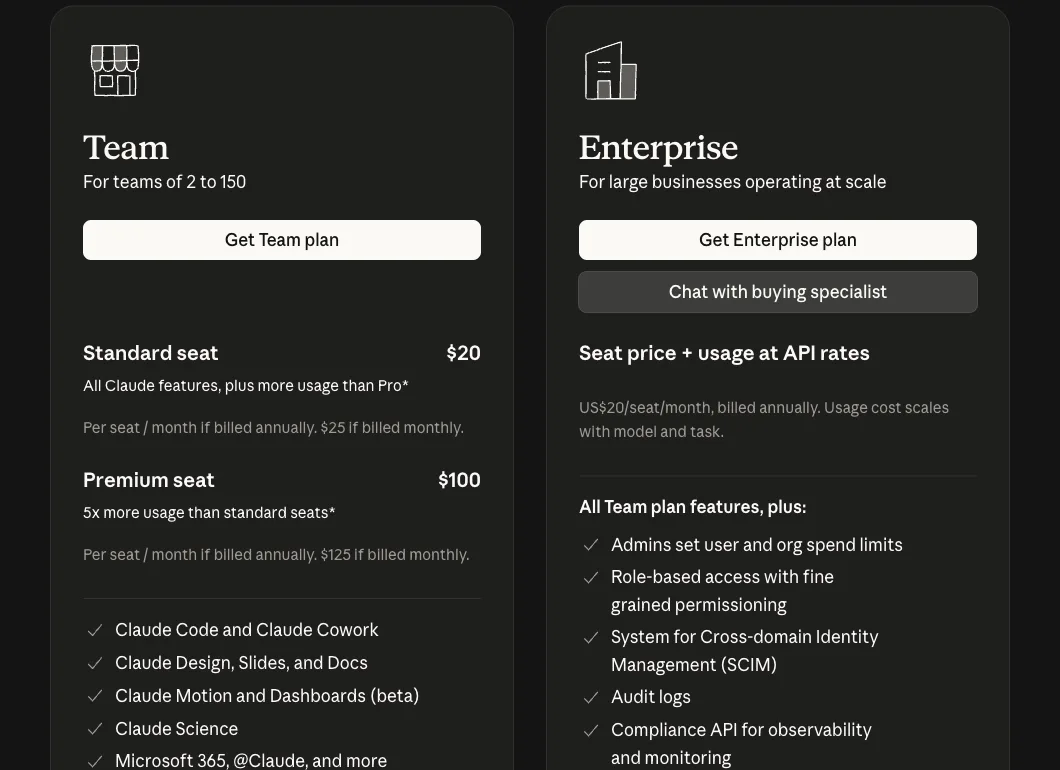
Claude's pricing page on October 14, 2026.
Does well: knowledge work that ends in a document, from the lab that makes the model, with no agent to build first.
The catch: it makes one person faster, or puts one general agent in a channel. Roles like the SDR or the bookkeeper are yours to define in prompts, and it runs only on Anthropic's models.
Best for: people already on Claude who want research, files and recurring tasks handled without building a workflow.
10. Grok Bot
Grok Bot gives each named Bot a persistent cloud computer, lets you teach a routine by doing it once, and runs routines on a schedule. Bots in the same thread pass work between themselves, and Team Bots each get their own Slack handle.
Price: as of October 22, 2026, Grok Bot is included with SpaceXAI's Premium at $30 a month, Super at $100 and Ultra at $200, or with Teams at $30 per user a month, plus custom Enterprise plans.
Does well: teaching by example instead of building: you do the routine once and the Bot repeats it.
The catch: Grok Bot's own FAQ says every Bot shares one persistent cloud computer, and "Isolation is per user, not per Grok Bot," so the Bots belong to one person's account. For the full comparison, see Dock vs Grok Bot.
Best for: a power user who wants bots of their own that learn routines and keep working with the laptop closed.
Gumloop vs Dock
Both sell agents for business work, and both now talk about a team of agents. The difference is who makes them.
With Gumloop, your people build agents on a shared platform: they write instructions, attach connectors, skills and triggers, and share the result with the rest of the company, which pays for the work in credits. With Dock, the company hires: specialists arrive knowing a job, a Chief of Staff coordinates them, and they bring you only the decisions. The case for that model is in hire agents, not headcount.
| Gumloop | Dock | |
|---|---|---|
| Shape | A platform where your team builds agents | A team of specialist agents with roles and reporting lines |
| Who makes the agents | Your people, from instructions, connectors, skills and triggers | Ready-made specialists hired from the Agent Marketplace |
| How work moves | Agents run on triggers and can delegate to subagents you attach | Agents hand work to each other; a Chief of Staff runs the team |
| Where you reach it | Slack, Microsoft Teams, email, text and the web app | Shared workspaces; the Chief of Staff by email and iMessage |
| Approvals | Per connector or per tool; "Always allow" by default | Per-agent permissions; sensitive actions wait for a person |
| Where it runs | Gumloop's cloud; your own cloud account on Enterprise | Your Mac or the cloud; cloud agents 24/7 |
| Price (Oct 22, 2026) | Pro from $37 a month for 20,000 credits, unlimited seats, plus an 8% orchestration fee | $20, $100 or $200 per person a month with 5, 10 or 20 always-on agents |
| Security paperwork | SOC 2 Type II | SOC 2 Type II not yet attested |
If you want your people to build agents and keep full control of each one, Gumloop does that well. If you want specialist agents to own recurring work for the company, Dock is built for that.
How to choose
| If you want | Choose |
|---|---|
| A team of specialist agents that runs sales, marketing and ops for the company | Dock |
| To build your own agents on a shared platform with unlimited seats | Gumloop |
| Workflow automation you can self-host, with an engineer in charge | n8n |
| A visual flowchart builder with a free tier | Make |
| Agents across the widest app catalog, next to your Zaps | Zapier Agents |
| An open-source builder you can run on your own servers | Activepieces |
| A no-code agent builder sized by build users | Relevance AI |
| Agents built on company knowledge and called in Slack | Dust |
| One helper in Slack and iMessage, with a BAA on Enterprise | Lindy |
| Claude handling your files, research and recurring tasks | Claude |
| Bots of your own that learn a routine by watching you | Grok Bot |
More comparisons: Zapier alternatives, n8n alternatives, Relevance AI alternatives, Lindy alternatives, Grok Bot alternatives.
FAQ
What is the best Gumloop alternative?
It depends on what you want. If you want to keep building automations yourself, n8n and Activepieces suit teams that want to self-host, Make suits visual flowchart builders, and Relevance AI and Dust are the closest agent builders. If you want agents that own a job end to end, we think Dock is the better fit: you hire specialists for sales, marketing and operations, they hand work to each other, a Chief of Staff runs the team, and plans start at $20 per person a month with 5 agents always on. We build Dock, so weigh our view accordingly.
How much does Gumloop cost?
As of October 22, 2026, Gumloop's pricing page lists Pro from $37 a month after a 14-day free trial, with 20,000 credits a month (7,400 plus 12,600 bonus credits), unlimited agents, seats and teams, and custom-priced Enterprise. Credits are indexed at $0.005 each and pay for model tokens, compute and tool calls at list price, plus an 8% orchestration fee, or 16% if you bring your own model keys. Unused credits do not roll over.
Is Gumloop free?
Gumloop's pricing page, as of October 22, 2026, shows no free plan. Pro starts with a 14-day free trial. If you go past the 20,000 monthly credits, agents stop until you turn on pay as you go, which bills at $0.005 a credit.
Does Gumloop still have a visual workflow builder?
Yes, but it is no longer the lead product. As of October 22, 2026, Gumloop's pricing page lists workflows under "Workflows (Legacy)," with 5 concurrent workflow runs on Pro, and the product leads with agents you set up with instructions, connectors, skills and triggers. If a canvas is what you want, Make, n8n and Activepieces are built around one.
Gumloop vs n8n: which is better?
Both are builders, so both leave someone on your team designing and maintaining the automations. Gumloop is hosted and agent-first, with unlimited seats and credit-based pricing plus an orchestration fee. n8n is a workflow tool with AI agent nodes that you can self-host, billed per full workflow run, with unlimited users on every plan. n8n gives an engineer more control; Gumloop is built so non-technical teams can build agents themselves.
What is the difference between Gumloop and Dock?
Gumloop is a platform where your people build AI agents and share them across the company, billed by credits with unlimited seats. Dock is where businesses hire AI agents for business work: ready-made specialists with names, roles, reporting lines and permissions, coordinated by a Chief of Staff, running on your Mac or in the cloud. Dock plans are per person and include 5, 10 or 20 always-on agents.
Won't OpenAI or Anthropic just build this?
They might. The labs are strong, moving fast and may well add team features. Today, what each lab ships is built around its own models and one person's account. Dock is betting that a company will want a team of agents with roles and a reporting line, a memory the business owns, and the freedom to use whichever lab's model is best for each job. That is our reasoning, not a certainty.
In short: n8n, Make, Zapier Agents or Activepieces if you want to wire automations yourself, Relevance AI or Dust if you want another agent builder, Lindy, Claude or Grok Bot for a ready helper, and Dock if your company wants agents that own the work. If that last one is you, see how Dock works or start free.