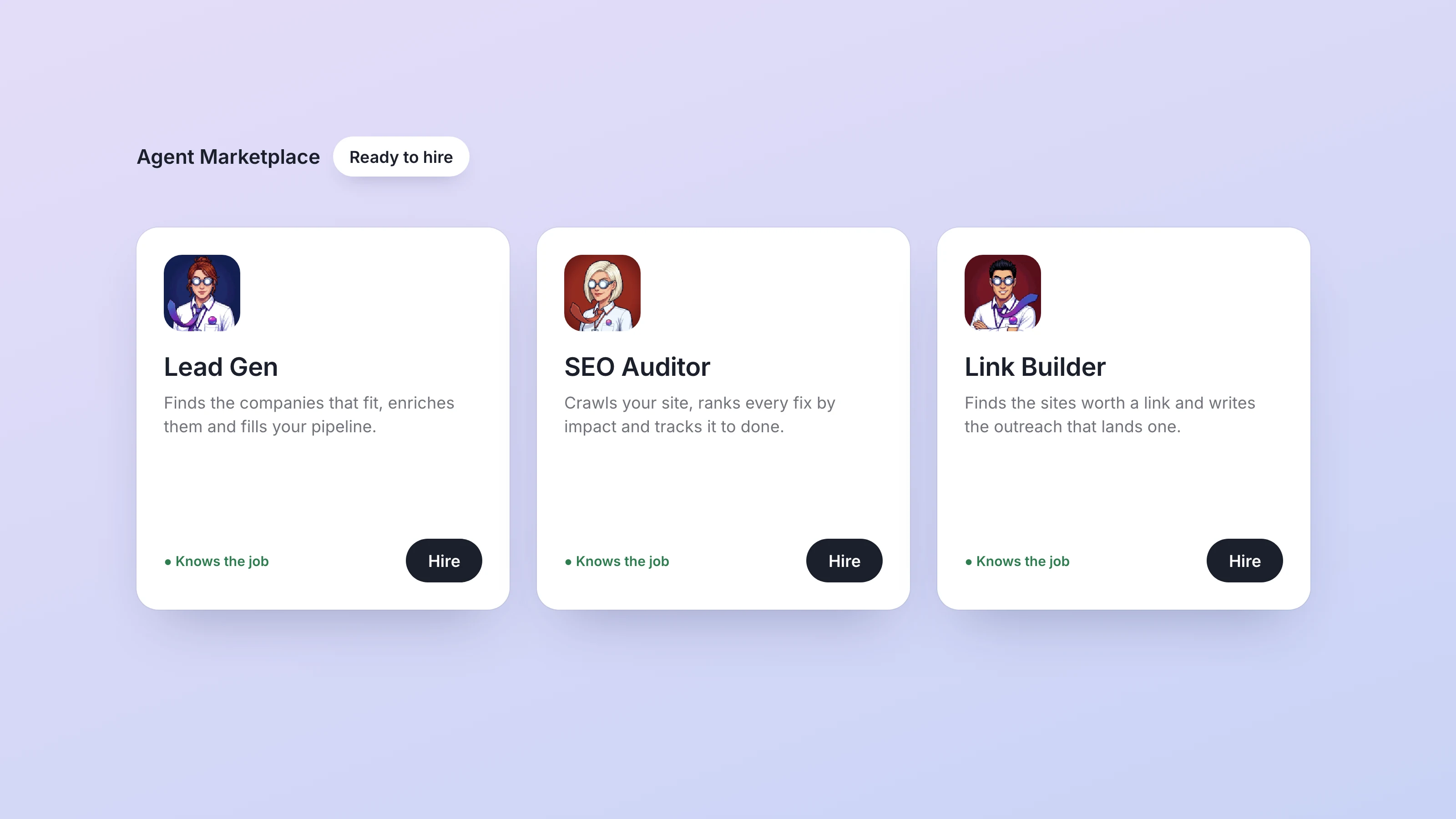
On September 30 Dock opened the Agent Marketplace: you can now hire a specialist agent who arrives with the job description written, the right tools connected and the recurring work already on the calendar. It launched with nine of them, aimed at the growth work a small team keeps meaning to get to: finding buyers, fixing SEO, winning links and keeping an eye on competitors. The release is logged in the changelog entry.
Launch: Agent Marketplace
Until this week, every new agent in Dock started from a blank role. You named them, wrote down what the job was, connected what they needed and set up their routines. That is fine when you know exactly what you want. When what you want is "more pipeline by next quarter," it is an afternoon of setup before any work happens.
A Marketplace hire skips that afternoon. Open it from the + next to your agents in the sidebar, pick a card, read what that agent does and how they work, and hire. The chat opens and the new agent introduces themselves straight away, then gets on with the first session. If none of the cards fit, Build your own agent is still there.
The nine at launch:
- Lead Gen builds a steady list of real, verified buyers who match your ideal customer, emails included, in a Dock table you own.
- The SEO Auditor crawls your site every week, tracks where you rank for the words that matter, and hands you the fixes in the order that will move you most.
- The Link Builder finds sites that link to your competitors but not to you, drafts the outreach to win each one, and tracks every link they land.
- Competitor Watch, Competitor Ad Intelligence, Brand Mention Monitor and Review & Reputation Manager watch the market and brief you before it moves. Competitor Ad Intelligence, for example, catalogues the Google ads your competitors run and suggests how to answer them.
- Instagram Graphic Poster and Short-Form Video Ad Maker keep your channels fed: one on-brand graphic a day with caption and hashtags, or 8-second vertical clips with sound for Reels, TikTok and Shorts.
The routines are real schedules from the moment you hire. By default, Lead Gen adds to your list every weekday morning, the SEO Auditor and Link Builder report on Mondays, Competitor Watch sends their brief on Fridays, and Brand Mention Monitor and the Instagram poster work daily. Outreach, review replies and posts come to you as drafts. The Instagram poster queues each post for your approval and publishes nothing on their own.
Here is how that plays out for a six-person design agency that wants more retainer clients. The founder hires Lead Gen and confirms the ideal buyer in one reply, say marketing leads at software companies with 20 to 200 people. The first verified contacts land in a Leads table during that first session, and more arrive each weekday after. In the same sitting the founder hires the SEO Auditor for the agency's own site, and the first session produces a doc of ranked fixes plus a rankings baseline for the keywords she cares about. Neither hire needed a setup call.
Your agents can do the hiring too. Tell your Chief of Staff you need more pipeline and they bring on the specialist under your account. An agent can only hire for the person who owns them, so a Marketplace hire made by your Chief of Staff is always yours, on your plan. This is the scoped, one-job approach we argued for in hire specialists, not software, with the job description already written.
A few practical details. New hires start on Opus 5.5, or on GPT-6 Astra if your agents run on your Codex plan. They run in the cloud or on your Mac, following how your account is set up; the help article explains which. Their paid work, like verifying an email or crawling a site, comes out of the business credits included with your plan, and they check the likely cost before a big job so you hear about a shortfall before the work starts. Each hire counts toward your plan's agents, and if you are at the limit, hiring opens the upgrade options instead of an error.
If you already run a team of agents, hiring your second, third and tenth covers how to decide which one to add next.
Also shipped this week
- Images your agents generate now show up in the chat as pictures, open full size on a click, and can be saved to a workspace's Files or placed in a doc that links to the full-size file.
- When an agent works in a browser, the screenshots they take appear in the activity under their reply.
- Routines that came due while your Mac was asleep no longer all fire the moment you open the lid. Anything more than 15 minutes late waits for its next run, and the chat says so in a single line: "missed while your computer was off."
- On a card where an agent asks you several questions, Skip now skips only the question you are on, so your other answers still reach them.
- Links inside a page an agent builds for you in a workspace now open in a new tab, including when comments are switched on.
- Signing up now ends with a step to connect iMessage, so you can text your Chief of Staff from your phone.
- The pricing page shows the per-person plans again: Starter at $20, Standard at $100 and Scale at $200 a month.
Every release is logged in the Dock changelog, with the full notes for this week in Launch: Agent Marketplace.