The 10 best Zapier alternatives are Dock, Make, n8n, Microsoft Power Automate, Pipedream, Activepieces, Gumloop, Relevance AI, Lindy and Claude, and they fit different needs. Make is the closest like-for-like swap for Zapier's step-by-step workflows, n8n and Activepieces suit teams that want open source or self-hosting, Power Automate suits companies already on Microsoft 365, Pipedream suits developers, Gumloop and Relevance AI suit teams that want to build AI agents themselves, and Lindy and Claude help one person or one Slack channel get work done. When a company wants agents to own recurring work end to end, rather than a set of workflows someone on the team keeps running, we think Dock is the better fit, because each agent has a role, a reporting line and permissions, and they hand work to each other. We build Dock, so weigh our view accordingly.
Coding already made this shift. Developers now direct coding agents that write, test and ship the code. Business work is next: finding buyers, following up, publishing, chasing invoices. Zapier is the tool many small teams first used to automate that work, one trigger and one action at a time. This post sorts the 10 Zapier alternatives by whether you build the automation or hire agents who own the job.
Why teams look for a Zapier alternative
Zapier is a serious product. Its homepage says it is "Trusted by 3 million+ businesses" and connects "9,000+ apps," and it now pitches itself as a place to "Build and govern AI workflows, agents, and apps." Alongside Zaps, it offers Tables for data, Forms (the product formerly called Interfaces), Copilot for building with AI, Agents, and an MCP server that lets Claude, ChatGPT and Cursor take actions in your apps. The reasons people look elsewhere come from Zapier's own pages.
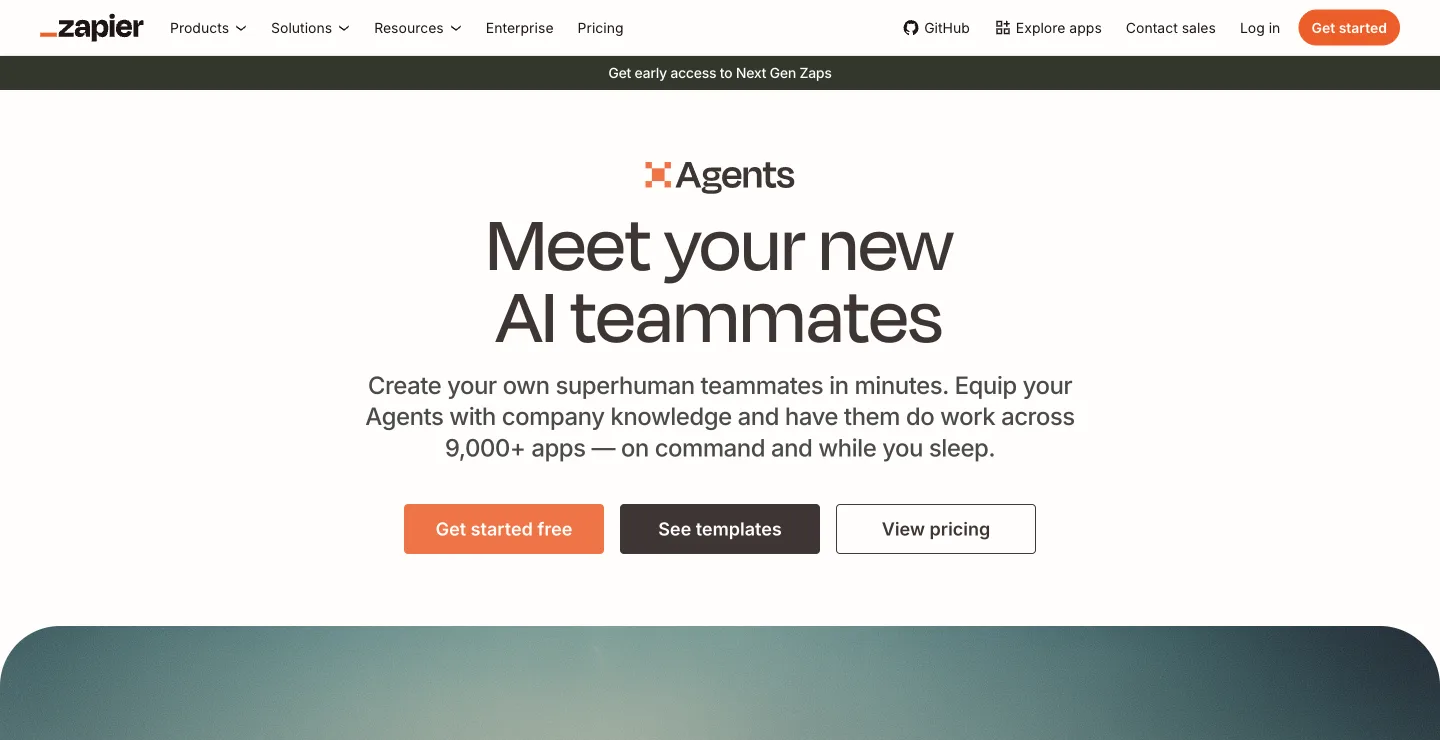
Zapier's Agents page on October 18, 2026.
You build every step. A Zap is a trigger and the actions that follow it, and someone on your team designs each one, tests it and fixes it when a connected app changes a field. That is exactly what you want for a fixed process, and it is also a job. As the number of Zaps grows, so does the work of keeping them running. Zapier's own pricing page shows the trade-off on the Free plan: "Two-step Zaps" and 15-minute polling, with multi-step Zaps from Professional up.
The bill counts tasks. The Zapier pricing page, as of October 22, 2026, lists Free at 100 tasks a month, Professional from $19.99 a month billed annually ($29.99 monthly) for 750 tasks, and Team from $69 a month billed annually for 2,000 tasks and 25 users. Each action a Zap completes is a task. When you reach the limit, Zaps pause until the next period, unless you turn on pay-per-task billing, which Zapier says "is charged at a higher per-task rate than your base subscription tasks." Zapier MCP is on every plan, and "One MCP tool call uses two tasks from your Zapier plan's quota."
Agents are a second product with a second meter. On the same page, Agents bill in activities, separate from tasks: Agents Free includes 400 activities a month, and Agents Pro is $33.33 a month billed annually ($400 a year) for 1,500. Zapier counts "actions your agent takes in behaviors or in chat, browsing the web, or looking up information from attached knowledge" as activities. A paid agent run stops at 40 activities and asks before continuing (10 on Free), per Zapier's help center. Agent sharing across the organization is listed on Agents Enterprise, and Zapier's FAQ says "Zapier Agents doesn't currently support app and action restrictions that may be in place on an Enterprise account."
Approvals are a step you add. Zapier's Human in the Loop app "lets you pause a Zap at a certain step so a human can review before your workflow continues." It is available on every plan, including Free, and someone places it in each Zap that needs it.
None of that is a flaw. It is the shape of a platform you build on. Our piece on AI agents for automation covers where if-then rules stay the right answer and where agents take over.
Automation you maintain, or agents that own the job
There are two kinds of product on this list.
The first kind is a platform you build on. Zapier, Make, n8n, Power Automate, Pipedream and Activepieces all work this way, and Gumloop and Relevance AI do it for AI agents. You decide the trigger, the steps and the conditions, and the tool runs them the same way every time. That is a real strength. If a new Stripe payment should always create a row in a sheet and a message in Slack, a workflow is cheaper and more predictable than any agent. Zapier's own FAQ makes the point about its AI features: "Why don't I get the same outcome from AI every time? That's because of non-determinism."
The second kind owns the job. Instead of wiring the steps, you hire agents who already know the work, such as finding leads, running outbound or chasing overdue invoices. They decide the steps, hand work to each other and bring a person only the decisions. That is what Dock is built for, and it is the bet behind small teams, big companies: a small team that runs a company which used to need many more people.
A quick test tells you which you need. If you can draw the process as a fixed flowchart and it rarely changes, build a workflow. If the job is "keep the pipeline full" or "make sure every overdue invoice gets chased," and the right next step depends on what happened last time, you are describing a job for an owner, not a flowchart.
Many teams will want both: agents for the jobs that need judgment, and workflows for the steps that are truly fixed.
How we picked
We read the pages that rank for "Zapier alternatives" this week and kept the tools a small team would realistically shortlist. Make and n8n appear on nearly every list. Power Automate, Gumloop, Lindy and Relevance AI come up often, and Pipedream and Activepieces show up as the developer and open-source picks. We added Claude, because many teams now pair an AI chat with Zapier MCP and ask whether they still need the Zaps. Pabbly Connect, IFTTT and Workato also appear on some lists. We left them out to keep the focus on business work for small teams.
We checked Zapier's pages on October 22, 2026, and every other price on the vendor's own page the same day. Make's pricing page did not show plan prices to our automated check, so its paid prices come from a dated third-party breakdown, marked below. Anything we could not confirm, we left out. The screenshot is from an earlier capture and carries its own date. Vendors change prices often, so check the linked page before you buy.
Where Dock is the better fit
Zapier is the most connected automation platform on this list. These are the reasons we think hiring agents suits a company that wants recurring work owned, not just wired.
Each agent owns a job. Each Dock agent has a name, a role, a reporting line and permissions. A lead research agent can find buyers and hand them to an outbound agent, while an operations agent chases the invoices, each with only the access their job needs. With Zapier, each Zap is a set of steps someone on your team designed, and each Zapier agent is configured by a person with its own behaviors and knowledge.
Agents hand work to each other. In Dock, work moves between agents without you passing it along, and a Chief of Staff runs the team, so you manage one conversation instead of ten. You can reach your Chief of Staff by email or iMessage. In Zapier, work moves along the path someone built, and when the process changes, someone edits the Zap.
Approvals fit the role. You set permissions per agent, so an agent can be made to ask before anything sensitive. Shawn Dej, CEO of YourStory AI, runs an eight-agent sales org in Dock that works 400+ schools and 150+ community colleges. Every send waits for his OK, which he gives by text. Zapier's Human in the Loop does a similar job, but it is a step someone adds to each Zap that needs it.
The memory belongs to the company. What Dock agents learn goes into the Company Brain, so it stays with the business when people move on or you change models. A Zap does not learn from last week. It runs the steps it was given.
You choose where agents run and which model they use. Each Dock agent runs on your Mac or in the cloud, where cloud agents work 24/7 on schedules, on models from Anthropic, OpenAI and other labs. You hire ready-made specialists from the Agent Marketplace instead of designing each one.
Pricing counts people, with agents included. Dock is per person: $20, $100 or $200 a month with 5, 10 or 20 always-on agents, as of October 2026. Zapier bills tasks for Zaps and MCP calls, then activities for agents, on separate plans.
Where Dock is not the right pick
- Your process is fixed and high volume. If the same trigger should always lead to the same actions, thousands of times a month, a workflow tool like Zapier, Make or n8n is cheaper and more predictable than agents. Use agents for the judgment, not the plumbing.
- You need the widest app coverage. Zapier says it connects 9,000+ apps. Dock has 2,000+ platforms built in plus the apps you connect, so check that your niche tools are covered.
- You want to design and wire every step yourself. Make, n8n, Activepieces, Gumloop or Relevance AI gives you more control over each step, and n8n and Activepieces can be self-hosted.
- You need compliance paperwork today. Dock is a young company, and its SOC 2 Type II report is not yet attested. If you need a completed SOC 2 report now, look elsewhere. Lindy's Enterprise plan offers a signed BAA.
- Your company runs entirely on Microsoft 365. Power Automate works inside the suite you already have, under Microsoft's admin controls, and that may be enough.
Won't the big AI labs just build this?
They already have pieces of it. Anthropic's Claude can run scheduled tasks and use your connected tools, and Zapier MCP lets Claude and ChatGPT take actions in thousands of apps. Both make one person faster, and the labs may well add more team features. Today, what each lab ships runs on its own models and centers on one person's account or one chat. Our bet is that a company will want a team of agents with roles and a reporting line, a memory the business owns, and the freedom to use whichever lab's model is best for each job. That is the layer Dock builds: the team, the memory and the permissions live in Dock, and the models underneath can change as the labs improve. Better models from the labs help Dock agents too. This is our reasoning, not a certainty.
Is the category crowded? Yes. Most products in it are platforms you build on, like Zapier, Make, n8n and Gumloop, or helpers for the people you have, like Lindy and Claude. Dock aims at a narrower job: a team that runs specific work end to end, like lead generation, follow-ups and collections.
Zapier alternatives compared
| Tool | What it is | Price (as of Oct 22, 2026) | Who does the work | Billed by |
|---|---|---|---|---|
| Dock | A team of business agents the company owns | $20, $100 or $200 per person a month, with 5, 10 or 20 always-on agents | Specialist agents with roles; people make the calls | Person, with agents included |
| Zapier | Workflow automation plus Agents, Tables, Forms, Copilot and MCP | Free (100 tasks); Pro from $19.99 a month billed annually; Agents Pro $33.33 a month billed annually | Workflows and agents your team builds | Tasks, then agent activities |
| Make | Visual workflow automation with AI agents | Free (1,000 credits a month); Core from $9 a month billed annually (Sep 26, 2026 coverage) | Scenarios your team builds | Credits |
| n8n | Workflow automation with agent nodes | Starter €20 a month billed annually; self-host free | Workflows your team builds | Workflow executions |
| Microsoft Power Automate | Microsoft's workflow and RPA platform | Premium $15 per user a month, paid yearly | Flows your team builds | User or bot |
| Pipedream | Integration layer for developers building agents | Free to build; Startup $99 a month billed annually | Code your developers write | Plan, then users and credits |
| Activepieces | Open-source automation with agents and flows | Free (1,000 credits); Plus $20 a month; Team $200 a month | Flows and agents your team builds | Flat plan, then credits |
| Gumloop | An AI agent builder | Pro from $37 a month, unlimited seats | Agents your team builds | Credits |
| Relevance AI | An agent builder | Pro $19 a month billed annually ($29 monthly) | Agents your team builds | Build users, then Actions |
| Lindy | One shared helper in Slack, iMessage and email | Team from $29.99 per active user a month for 3,000 credits | One helper, on request or on a schedule | Every active user, then credits |
| Claude | Claude with connected tools and scheduled tasks | Pro $20 a month; Team $25 per Standard seat ($20 billed annually) | The person who asked | Seat, then usage limits |
The new model: a team that owns the work
1. Dock
Dock is where businesses hire AI agents for business work: sales, lead generation, marketing and operations. Each agent has a name, a role, a reporting line and permissions, and they hand work to each other. Every account starts with a Chief of Staff who runs the team, so you manage one conversation instead of ten, and you can reach them by email or iMessage. You hire ready-made specialists from the Agent Marketplace for the jobs your business needs, such as finding leads, running outbound, publishing content or chasing overdue invoices. Dock is backed by Y Combinator (S26).
Where Zapier asks you to design each step, Dock asks you to describe the outcome. What the agents learn goes into the Company Brain, so it stays with the company. Each agent runs on your Mac or in the cloud, where cloud agents work 24/7 on schedules, on the model that suits their job, from Anthropic, OpenAI or other labs. Agents reach 2,000+ platforms built in, plus the apps you connect, and per-agent permissions keep sensitive actions waiting for a person.
Price: per person per month, per the Dock pricing page, as of October 2026. Starter is $20 with 5 always-on agents, Standard is $100 with 10, and Scale is $200 with 20.
Does well: specialists that own recurring jobs and work on a schedule rather than waiting for a trigger someone wired, with a Chief of Staff keeping them coordinated and a memory the company keeps.
The catch: Dock is a young company. Its SOC 2 Type II is not yet attested, it reaches fewer apps than Zapier by Zapier's own count, and for a fixed, high-volume process a plain workflow will cost less.
Best for: startups and agencies that want recurring sales, marketing and operations work owned by a team of agents, with people approving what goes out.
Workflow automation platforms
Every tool in this group asks the same thing of you that Zapier does: design the workflow, connect the apps, test it and keep it working. They differ on price, control and who on your team can build.
2. Make
Make is a visual workflow builder: you lay out a scenario on a canvas, with branches, loops and error handling. Its AI Agents page says "Build AI agents you can trust," with agents "Available on all plans," and the page counts more than 3,000 apps.
Price: the Make pricing page, as of October 22, 2026, says the Free plan has "1000 credits per month" and that "most actions consume 1 credit." When credits run out, "Your scenarios won't continue to run, until credits are added again," and unused credits expire at the end of the term. The page did not show paid plan prices to our automated check. Jetadmin's breakdown, published September 26, 2026, lists Core at $9 a month billed annually ($10.59 monthly), Pro at $16 ($18.82) and Teams at $29 ($34.12), each at 10,000 credits. Make also offers 50% off Business for companies under 20 employees that qualify for its Start-up Plan.
Does well: the closest like-for-like Zapier replacement, with a canvas that shows branches and loops, and router and error-handler modules that do not use credits.
The catch: you still build and maintain every scenario, and a single run can use anywhere from two credits to thousands, in Make's own words.
Best for: teams that like Zapier's model but want more logic per workflow for the money.
3. n8n
n8n is a workflow automation tool with AI agent nodes, popular with technical teams because you can self-host it.
Price: the n8n pricing page, as of October 22, 2026, lists Starter at €20 a month, Pro at €50 and Business at €667, billed annually, with 2,500, 10,000 and 40,000 workflow executions. Business is self-hosted only. "All plans include unlimited users & workflows and every integration," and a self-hosted Community Edition is on GitHub.
Does well: a full workflow run counts as one execution however many steps it has, so cost is easier to predict than per-task billing.
The catch: agents are workflows you assemble node by node, and self-hosting means your team owns updates and uptime.
Best for: teams with an engineer who wants full control, or who need to self-host.
4. Microsoft Power Automate
Power Automate is Microsoft's workflow platform, with cloud flows across Microsoft 365 and desktop flows (robotic process automation) that click through older software on a Windows machine.
Price: the Power Automate pricing page, as of October 22, 2026, lists a 30-day free trial, Premium at $15 per user a month paid yearly (cloud flows, attended desktop flows and process mining), Process at $150 per bot a month paid yearly for unattended desktop flows, and Hosted Process at $215 per bot a month with a Microsoft-hosted virtual machine. Microsoft's agent builder, Copilot Studio, is sold separately.
Does well: flows live inside Microsoft's identity and admin controls, and desktop flows can automate apps that have no API.
The catch: it is a builder, and a Microsoft-shaped one. The bill counts users and bots, and building AI agents means adding Copilot Studio.
Best for: companies that already run on Microsoft 365 and want automation under the same admin.
5. Pipedream
Pipedream now calls itself "The integration layer for AI agents," with "Managed auth and 10,000+ tools across 3,000+ APIs, for the agents you're building," per the Pipedream homepage.
Price: the Pipedream pricing page, as of October 22, 2026, lists Free for building in development, and Startup at $99 a month billed annually ($150 monthly) to run in production, with 100 external users included (then $2 each) and 10,000 usage credits. Every plan includes unlimited team members. Business pricing is custom and adds SSO, SCIM and HIPAA.
Does well: developers get code-level control, managed sign-in for thousands of APIs, and MCP servers for the agents they build.
The catch: it is built for developers shipping integrations and agents of their own, not for a sales or operations lead who wants a workflow running by Friday.
Best for: engineering teams building their own AI product or internal agents who need connectors and auth handled.
6. Activepieces
Activepieces bills itself as "AI Agents with enterprise control," with "Chat, agents, flows, tables, and 760+ apps in one workspace," per the Activepieces homepage, which also says "Every piece is MIT-licensed."
Price: the Activepieces pricing page, as of October 22, 2026, lists Free with 1,000 credits a month, unlimited flows and up to 5 users, Plus at $20 flat a month with 10 times the Free credits, and Team at $200 flat a month with five times the Plus credits, 25 users and SSO. Extra credits are pay as you go, and you can also self-host.
Does well: flat pricing for small teams, open-source pieces, and the option to run it on your own servers.
The catch: 760+ apps is far fewer than Zapier's catalog, and you still build each flow and agent yourself.
Best for: small teams that want a Zapier-style builder with open-source parts and flat pricing.
AI agent builders
These two move from workflows to agents, but you still design each agent and keep it working.
7. Gumloop
Gumloop calls itself "the multiplayer AI agent builder." You describe a task and Gumloop produces an agent that connects to your apps and runs on triggers.
Price: the Gumloop pricing page, as of October 22, 2026, lists Pro from $37 a month after a 14-day free trial, with 20,000 credits a month, unlimited seats and teams, 35+ models and bring-your-own API keys. Enterprise is custom.
Does well: unlimited seats mean the bill does not grow as people join, and shared credentials let a team build on the same connected apps.
The catch: you still build and maintain every agent, and spend is credit-based, so a heavy month costs more than the headline.
Best for: teams that want to build AI agents themselves, with unlimited seats.
8. Relevance AI
Relevance AI is an agent builder: its homepage says agents are "Built and customized by your team."
Price: the pricing docs, as of October 22, 2026, list Pro at $19 a month billed annually ($29 monthly) with 2 build users, and Team at $234 a month billed annually ($349 monthly) with 5 build users and 45 end users. The Free plan is retired. Extra Actions cost $80 per 1,000.
Does well: a no-code canvas for teams that want to design custom agents.
The catch: someone on your team becomes the person who builds and maintains the agents, and every tool run is metered. More in our Relevance AI alternatives guide.
Best for: teams that want to design custom agents on a no-code canvas.
Helpers for the people you have
These two skip most of the building. They help a person or a channel get work done, rather than running a workflow or owning a job.
9. Lindy
Lindy is a helper that works in Slack, iMessage and email. The Lindy pricing page describes a "Slack-native teammate in threads + mentions" with scheduled routines, 1,500+ integrations and "Approvals built in."
Price: as of October 22, 2026, Lindy starts you with $50 in free credits that last 7 days. Team starts at $29.99 a month for 3,000 credits, pooled across the team, and "Every active user in your workspace is billed." Monthly credits don't roll over, top-ups cost $10 per 1,000 credits, and Enterprise adds SSO, SCIM, audit logs and a signed BAA.
Does well: inbox, meeting and follow-up work described in plain language, with approvals built in and a compliance path for regulated teams.
The catch: the bill counts people, then credits, and it is one shared helper rather than a team that owns jobs. More in our Lindy alternatives guide.
Best for: small teams whose main pain is inbox and meeting follow-up, who would rather ask in plain language than build a Zap.
10. Claude
Anthropic's Claude now folds Cowork, its mode for handing Claude real work, into the main app. The Claude pricing page banner reads "Claude Cowork is now just Claude." Cowork reads and writes files in folders you choose, uses your connected tools, browses the web and runs scheduled tasks. With Zapier MCP, Claude can also take actions in your Zapier-connected apps.
Price: on claude.com/pricing, as of October 22, 2026, Pro is $20 a month and Max starts at $100. Team is $25 per Standard seat a month ($20 billed annually) and $125 per Premium seat ($100 billed annually).
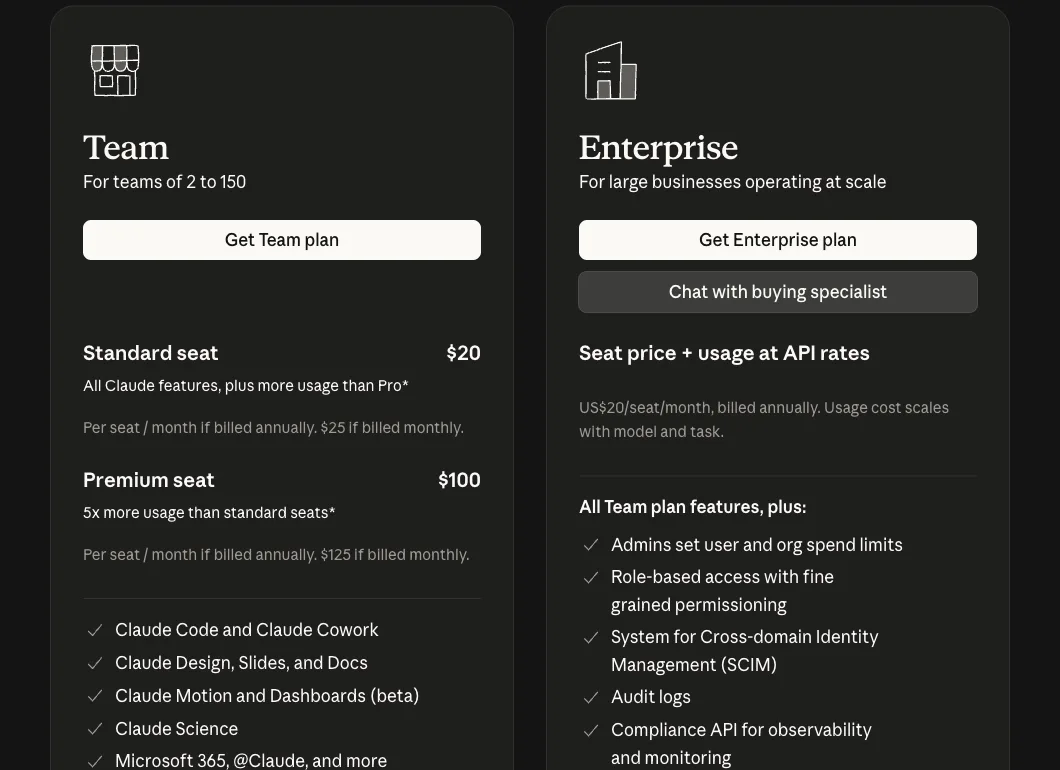
Claude's pricing page on October 14, 2026.
Does well: one-off and recurring knowledge work that ends in a document, a spreadsheet or a message, asked for in plain language instead of built as a workflow.
The catch: it makes one person faster. It does not give the company named agents who own a job and coordinate with each other, and the usage limits sit on each person's seat.
Best for: one person who wants Claude to handle files, research and routine tasks, with or without Zapier underneath.
Zapier vs Dock
Both promise to take repetitive work off your plate. The difference is whether you build the automation or hire agents who own the job.
With Zapier, your team designs Zaps and agents, step by step, across the widest app catalog on this list, and pays for the tasks and activities they use. It is the right tool when you know exactly what should happen and want it to happen the same way every time. With Dock, the company hires a team: a Chief of Staff coordinates specialists who each own a job, hand work to each other and bring you only the decisions. The case for that model is in hire agents, not headcount.
| Zapier | Dock | |
|---|---|---|
| Shape | Workflows (Zaps) plus agents you configure | A team of specialist agents with roles and reporting lines |
| Who designs the work | Your team, step by step | The agents decide the steps; you set the outcome |
| How work moves | Along the trigger and actions someone built | Agents hand work to each other; a Chief of Staff coordinates |
| Approvals | A Human in the Loop step you add to each Zap that needs it | Permissions per agent, fitted to each role |
| Where it runs | Zapier's cloud, plus a Chrome extension for agents | Your Mac or the cloud; cloud agents 24/7 |
| Apps | 9,000+ | 2,000+ platforms built in, plus the apps you connect |
| Price (Oct 2026) | Free; Pro from $19.99 a month billed annually; Team from $69; Agents Pro $33.33 | $20, $100 or $200 per person a month with 5, 10 or 20 always-on agents |
| Billed by | Tasks, then agent activities | Person, with agents included |
If what you need is a fixed workflow that runs the same way every time, Zapier does that well. If you want agents to own recurring work for the company, Dock is built for that.
How to choose
| If you want | Choose |
|---|---|
| A team of specialist agents that owns sales, marketing and ops work for the company | Dock |
| A cheaper visual workflow builder with more logic per run | Make |
| To self-host, or an engineer with full control | n8n |
| Automation inside Microsoft 365, including desktop RPA | Microsoft Power Automate |
| Connectors and auth for agents your developers are building | Pipedream |
| An open-source builder with flat pricing | Activepieces |
| To build AI agents yourself, with unlimited seats | Gumloop or Relevance AI |
| One helper in Slack and iMessage for inbox and follow-up work | Lindy |
| One person's files, research and routine tasks handled by Claude | Claude |
More comparisons: n8n alternatives, Gumloop alternatives, Relevance AI alternatives, Lindy alternatives, Viktor alternatives.
FAQ
What is the best Zapier alternative?
It depends on what you want. If you want another workflow builder, Make is the closest match, and n8n is the pick if you want to self-host. If you want agents to own recurring work for the company instead of building workflows, we think Dock is the better fit: you hire specialists for sales, marketing and operations, they hand work to each other, a Chief of Staff coordinates them, and plans start at $20 per person a month with 5 agents always on. We build Dock, so weigh our view accordingly.
How much does Zapier cost?
As of October 22, 2026, Zapier's pricing page lists Free with 100 tasks a month and two-step Zaps, Professional from $19.99 a month billed annually ($29.99 monthly) for 750 tasks, Team from $69 a month billed annually for 2,000 tasks and 25 users, and custom Enterprise pricing. Zapier Agents bill separately in activities: Agents Free includes 400 a month and Agents Pro is $33.33 a month billed annually for 1,500. Each Zapier MCP tool call uses two tasks.
Is Zapier free?
Zapier has a free plan with 100 tasks a month, two-step Zaps and 15-minute polling, and Zapier Agents has a free tier with 400 activities a month. Multi-step Zaps need a paid plan.
What is the difference between Zapier and Dock?
Zapier is an automation platform: your team builds Zaps, step by step, and configures agents, across 9,000+ apps, and pays for tasks and agent activities. Dock is a team of business agents the company owns: a Chief of Staff and specialists who each have a role, a reporting line and permissions, hand work to each other and bring you only the decisions. Dock plans are per person and include 5, 10 or 20 always-on agents.
Should I replace my Zaps with AI agents?
Not all of them. A fixed, high-volume process, like copying every new payment into a sheet, is cheaper and more predictable as a workflow in Zapier, Make or n8n. Agents earn their place on jobs that need judgment and follow-through, like finding and qualifying leads, following up, or chasing overdue invoices, where the next step depends on what happened last time.
Won't OpenAI or Anthropic just build this?
They already have pieces of it: Claude runs scheduled tasks with your connected tools, and Zapier MCP lets Claude and ChatGPT act in thousands of apps. Today, what each lab ships runs on its own models and centers on one person's account. Dock is betting that a company will want a team of agents with roles and a reporting line, a memory the business owns, and the freedom to use whichever lab's model is best for each job. That is our reasoning, not a certainty.
In short: Make or n8n for workflows you build yourself, Power Automate if you live in Microsoft 365, a builder like Gumloop if you want to wire agents yourself, Lindy or Claude for a helper, and Dock if your company wants agents owning the work. If that last one is you, see how Dock works or start free.