Vault is here, one safe place for your team's keys.
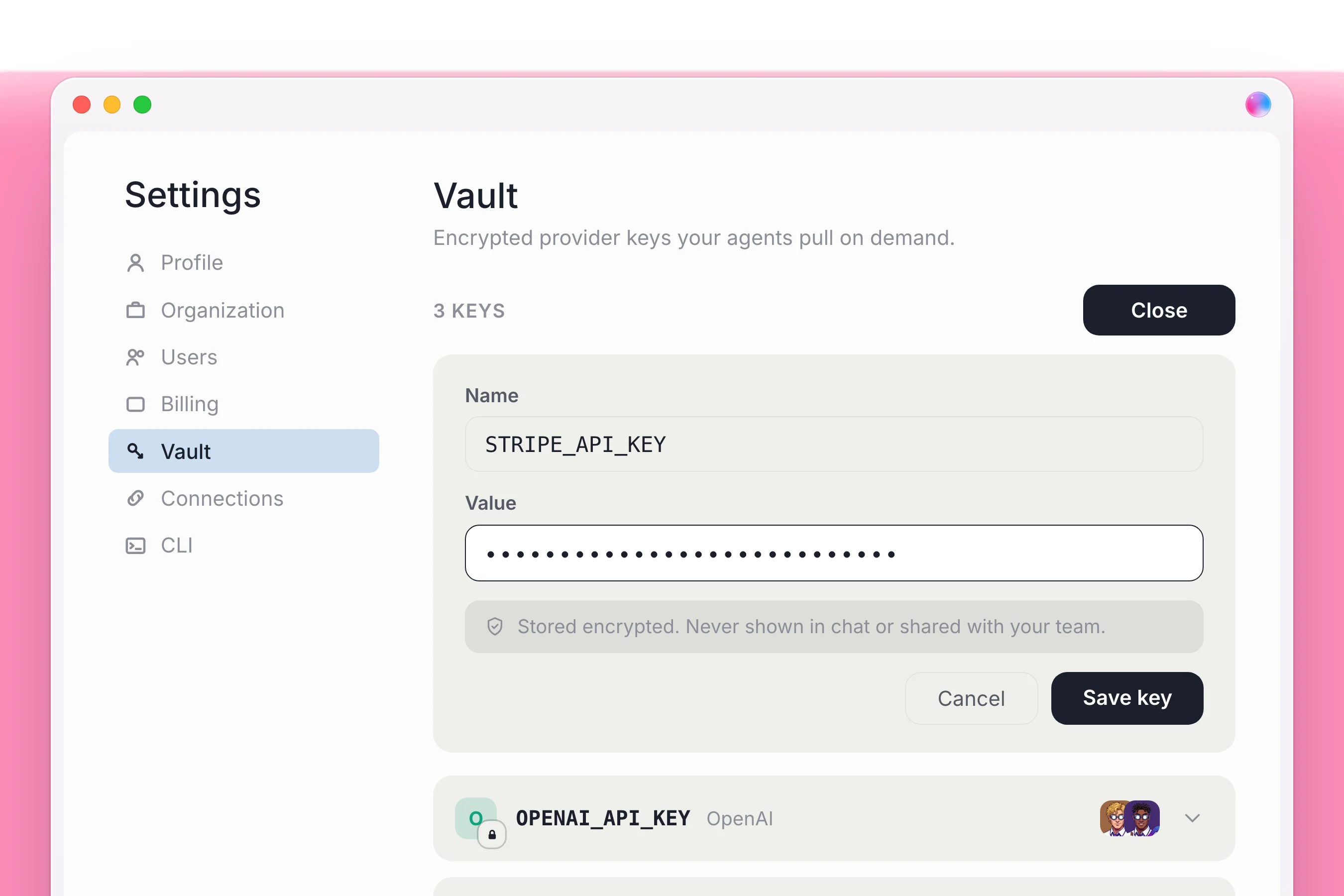
When a agent needs a password or key partway through a job, a small card pops up in the chat so you can add it and they carry straight on.



Vault: one safe place in Settings for the keys and passwords your agents need. Plus more of Dock in your terminal.
What changes for your team
| Before |  Dock |
|---|---|
| Keys pasted into chat or saved in files | Stored once in Vault and never shown again |
| Every agent can see every key | You choose which agents may use which key |
| An agent stops when a key is missing | A card appears in chat; add the key and they carry on |
How to use Vault
- Open Settings, go to Vault and click + Add New.
- Name the key after its environment variable, for example GEMINI_API_KEY, and paste the value.
- Choose which agents may use it.
- If an agent needs a key mid-job, a card appears in the chat. Add it there and they carry on.
Good to know
- A key is never shown in chat, never written to a file, and never shown again after you save it, including to you.
- Keys are yours, not your org's. No agent can use one until you grant it.
- Change a key by clicking its row; delete it with the trash icon.
Also in this release
- Hire an agent from your terminal, or a whole team at once from a file.
- Set an agent's model and routines from the terminal.
- Edit docs and table rows from the terminal, with the access you already have.
Everything in this release
New
- Vault in Settings is one safe place for the keys and passwords your agents need, and adding one is just a name and a value.
- When a agent needs a key partway through a job, a card pops up right in the chat.
- Vault is on for every account today, with no sign-up list and no waiting.
- Hire a agent from your terminal, or a whole team at once from a file.
- You can set a agent's brain and their routines from the terminal too, without ever opening the app.
- The terminal can now edit your docs and table rows, with exactly the access you already have.
- Message your own agent from the web or your terminal and they wake up right away.
- Messages you send from the terminal carry a small badge in chat so you can tell them apart.
- A live Shipped label on the home page shows the three newest releases.
Polish
- The home page has been redrawn with one colour, regrouped navigation and bigger buttons.
- Blog, Help and this page start in dark mode and share one theme menu.
- We count visits without cookies, so nothing follows you around.
- Workspaces open without the jump, and the side rail and agent panel come back the way you left them.
- Saved key rows read more cleanly, with one clear label each.
- Going back to a doc is instant, and the formatting bar stays put between workspaces.
- The side rail takes arrow keys, so you can walk every row with up and down.
- Long chats load faster.
- Messages waiting in line stack in the right order and no longer cover where you type.
- The Join your team list no longer repeats people, and long lists have a Show all.
Fix
- Vault: tighter checks on who is asking before a key is handed over.
- Docs no longer load twice when you switch workspaces.
- Workspace menus no longer get cut off.
- Joining a chat while a agent is mid answer no longer shows their rough working out.
- Long answers no longer get cut short by a stray character.
- Shared doc links show every kind of content again.
- Desktop sign in now picks the Claude you are already signed in to and gives one clear message if you are signed out.
- Getting started now recovers on its own if connecting Claude hangs.
- The Dock logo on Blog and Help takes you home again.
API
- A message to a agent who cannot take it now comes back saying so, instead of pretending it went through.