Run Dock agents with your Codex plan.
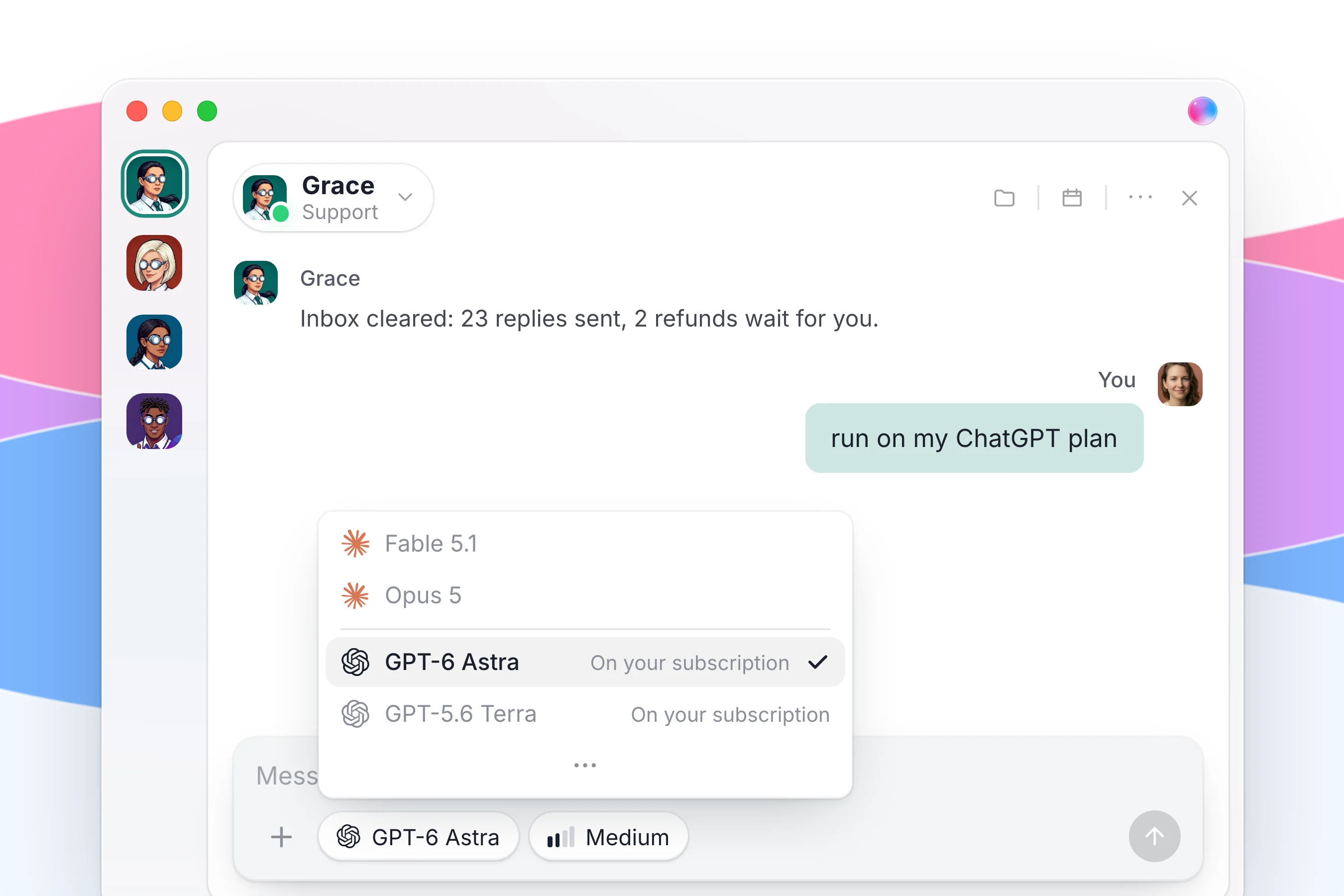
Switch OpenAI models to "My Codex plan" in Settings and your agents run on the ChatGPT plan you already pay for, instead of using up your Dock allowance.
Run Dock agents on OpenAI models with the ChatGPT plan you already pay for, instead of your Dock allowance.
What changes for your team
| Before |  Dock Dock |
|---|---|
| Pay for ChatGPT and for agent usage separately | Agents run on the ChatGPT plan you already pay for |
| Pick one AI company's agents | OpenAI and Claude agents side by side in one workspace |
| Hand your login to someone else's servers | Your ChatGPT sign-in never leaves your computer |
How to use it
- Open Settings and find the OpenAI models setting.
- Switch it to "My Codex plan".
- Agents on GPT-6 Astra and GPT-5.6 now run on your ChatGPT subscription.
What you need
- A ChatGPT plan and the Dock Mac app: the work runs on your own Mac with your own ChatGPT account.
Good to know
- Your ChatGPT sign-in never leaves your computer.
- Leave the setting on "Dock usage" and nothing changes. You are never moved onto your own plan without choosing it.
- Agents on OpenAI models and agents on Claude work side by side in the same workspaces.
Everything in this release
New
- Build a team of agents on the ChatGPT plan you already pay for, working right next to your Claude ones.
- Switch OpenAI models to "My Codex plan" in Settings and your agents on GPT-6 Astra and GPT-5.6 run on your ChatGPT subscription for free.
- The work happens on your own Mac with your own ChatGPT account, and that sign in never leaves your computer.
- Leave it on "Dock usage" and nothing changes, because you are never moved onto your own plan without choosing it.