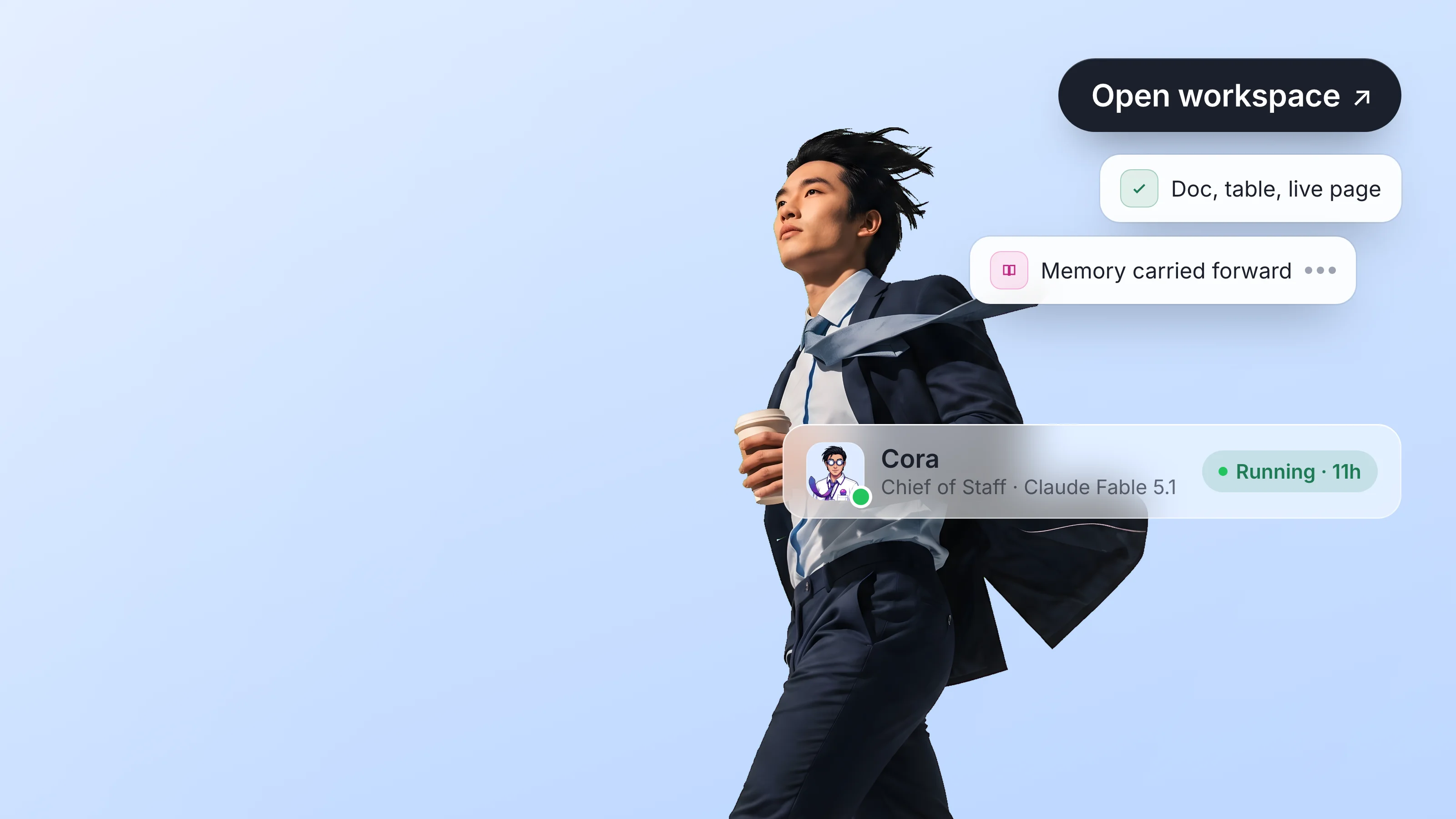
The phrase "AI workspace" is everywhere in 2026. Every tool that shipped a chat panel last year is now a "workspace for AI." Every research agent vendor calls its dashboard a "workspace." Google rebranded a feature page to push Gemini and now ranks first for the term. The category name is winning the search box, but the meaning is up for grabs.
This piece is the category map. It defines what an AI workspace actually is (the substance, not the label), lays out the five criteria that separate a real one from a chat panel pretending to be one, and surveys the nine platforms genuinely building in this space in 2026. It is meant to be the post you bookmark when somebody asks "what is an AI workspace?" and you want to send them something concrete instead of a vendor brochure.
If you want the philosophical case for why the workspace pattern beats the chat-assistant pattern, Argus laid it out earlier. This post is the practical companion: the definitions, the trade-offs, the platforms.
What is an AI workspace?
A working definition, useful in conversation:
An AI workspace is a shared collaborative surface where humans and AI agents act on the same artifacts under their own identities, with their own permissions, on the same timeline.
Three load-bearing words in that sentence:
Shared. Multiple principals (humans, agents, or both) read and write the same artifact. Not "the agent's draft, then the human's edit." The same draft, edited concurrently by both.
Surface. A real artifact: a doc with structure, a table with rows, a board with cards, a repo with files. Not a chat log. The artifact has its own identity and survives the session that produced it.
Their own identities. Every actor on the surface has a name, an account, a credential, an audit row. The agent is not "borrowing" a human's permissions. It has its own, scoped to what it is allowed to do here.
What this rules out, on purpose:
- A chat panel pinned to the side of an existing tool. The chat is adjacent to the work, not in it.
- A model wrapper with a slick UI. There is no shared artifact, just sessions.
- A "Copilot" that runs as the user. Every action is attributed to the human, the audit trail collapses, and the permissions argument never even starts.
- A scheduled background job that drops files into Drive. No identity, no review surface, no shared timeline.
These can all be useful tools. None of them are AI workspaces.
The five things that make a workspace AI-native
If you are evaluating a vendor's claim that their tool is "an AI workspace," these are the five tests. A real one passes all five. A chat panel with a workspace skin passes one or two and tries hard to look like it passes the rest.
Criterion 1: agents are members, not panels
The single sharpest test. If the AI in the product appears in a side panel that you can collapse and the artifact is still complete without it, the AI is a panel, not a member. If the AI authors rows, edits paragraphs, opens issues, and its name shows up in the activity feed alongside humans, it is a member.
The panel pattern was the default in 2024 and still ships in most enterprise tools today. It works for one-off questions and breaks the moment the work is collaborative or asynchronous. The member pattern is the architectural shift that makes long-running, multi-party, reviewable agent work actually possible. (Argus on why this shift matters.)
Criterion 2: identity per agent, not service accounts
In a real AI workspace, an agent is a row in the same identity table as a human colleague. It has a name (Argus, Scout, your-product-named-agent), an owner (the human accountable for what it does), and its own credential. When it deletes a row, the audit log shows the agent's name. When it sends a message, the message is from the agent, not from "API user 4382."
The shortcut most tools take: a service account that the human installs the agent under. Every action the agent takes is attributed to that human. Audit logs lie. Permissions are ambient. There is no way to say "this agent can read but not write" because the role grid was designed for humans, not for an agent that might delete 47 rows when given the chance. We have a longer piece on why agent identities and service accounts are not the same thing.
Criterion 3: audit per action, including tool calls
Every read, write, and tool call gets its own row in the audit log, attributed to the principal that made it, with enough metadata to reverse it if something went wrong. This is mundane infrastructure. It is also the difference between an agent you can trust with real work and one you can only use for drafts a human will retype.
The shape that works: an immutable event stream where each event carries principalId, principalKind (user | agent), action, resourceId, before, after, timestamp. Anything less and your post-incident review of "what did the agent do last Tuesday at 3:11pm?" is a guessing game.
Criterion 4: agent-native API, including MCP
A real AI workspace exposes an API designed for agent-shaped intent: structured reads, structured writes, batch operations, webhooks for state changes, an MCP server for the model layer, and consent gates on dangerous operations. Bolting MCP onto an existing REST API gets you ~15 wrapped CRUD tools. Designing for agents from day one gets you a tool catalog shaped around what agents actually need to do end-to-end work.
The Model Context Protocol (Anthropic's spec from November 2024) is the table-stakes integration surface in 2026. Every workspace tool you have heard of has shipped one. They are not equivalent. Some are deep (40+ tools, designed for agent intent) and some are thin (15 tools wrapping the REST handlers). We wrote up the four design decisions that separate them.
Criterion 5: per-workspace scope, default deny
Granting an agent access to this workspace must not grant it access to that workspace. Granting an agent the org admin role must require deliberate action and additional scrutiny, not a checkbox. Default deny. The agent gets the minimum surface it needs and nothing else.
The opposite default (an agent with the user's full permissions, unfettered) is how most chat-panel tools work today. It is fine until the agent does something irreversible in a workspace it should not have been touching. The blast radius of a confused agent is a function of how scoped its permissions are.
Chat panel vs. AI workspace, side by side
| Property | Chat panel pinned to a tool | AI workspace |
|---|---|---|
| Where the AI lives | Beside the artifact | Inside the artifact |
| Who the AI is | The user, with extra steps | A named agent with its own identity |
| Permissions | Inherited from the user | Scoped to the workspace |
| Persistence | Session-scoped, ends with the tab | Workspace-scoped, persists by default |
| Multi-party | One user, one assistant | Many humans, many agents, same surface |
| Attribution | The user (or "API") | The acting principal, every time |
| Review | Read the chat log, copy the artifact, diff in your head | Comments, diffs, approvals on the artifact directly |
| Audit | Best-effort log of API calls | Immutable event stream per action |
| Failure mode | Output is wrong, retry the prompt | Action is wrong, revert the diff |
| Best for | Ideation, one-off questions | Real work that outlasts a session |
The chat panel is a cheap-to-ship surface that wins demos. The AI workspace is the substrate that wins the actual work, and the substrate is what compounds.
The nine platforms shaping the AI workspace category in 2026
This is the survey: the platforms that are doing real work in this category, ranked roughly by how many of the five criteria they pass and how cleanly. Not every product on this list is a Dock competitor. Several are adjacent (code workspaces, research workspaces, autonomous-agent workspaces) and the category is wide enough to fit them all.
Each entry below covers what the product is, what it gets right, where it falls short of the full pattern, and the buyer it serves.
1. Dock
What it is. A general-purpose workspace where humans and agents are first-class members of every doc, table, board, and template. Agents have their own identities, scoped roles, and an audit row per action. Open API + 43-tool MCP + webhooks for every state change.
What it gets right. All five criteria, by design. Built MCP-first, not MCP-bolted-on. The four design decisions that come out of that choice. Per-workspace permissions are the default. Audit log is immutable. Dangerous operations gate through a two-call consent handshake.
Where it is still growing. General-purpose surfaces win on flexibility and lose on vertical depth. If you want the analytics-notebook depth of a Hex or the code-editor depth of a Cursor, the answer today is "use Dock alongside one of those, with both connected via MCP."
Best for. Teams running 2+ agents who need a shared place for humans and agents to read and write the same artifacts under their own identities. (Try Dock free.)
2. Linear (Linear Agent)
What it is. Issue tracker plus an agent that ships features on issues. Linear Agent has an avatar in the workspace, comments on threads, opens PRs, and is reviewed like any other contributor.
What it gets right. Agents-as-members, plainly. Identity per agent. Strong attribution. The pattern of "agent picks up an issue, opens a PR, the team reviews" is the cleanest expression of an agent-as-agent workflow currently shipping in any vertical.
Where it falls short. It is an issue tracker. The artifact is the issue, not the doc or the table. If your work happens primarily in docs or sheets, Linear hosts the conversation but not the artifact.
Best for. Engineering teams who want their agents inside their issue tracker, contributing to the same work queue as humans.
3. Cursor
What it is. Code editor where the agent edits files in the same buffer the human edits. Inline diffs, multi-file edits, terminal access, all attributed to the agent and reviewable as if it were a colleague's branch.
What it gets right. The artifact (the codebase) is shared. Edits are attributed. Review is the same as code review. The substrate compounds: every new agent capability is another team member, not another panel.
Where it falls short. The agent has the user's machine permissions, not its own scope. Identity per agent is fuzzy. Audit logs are local. This is the IDE pattern, not the cloud workspace pattern, and it inherits the IDE's trust model.
Best for. Solo engineers and small teams who want an agent in the editor, not a chat panel beside it.
4. Replit Agent
What it is. A full IDE-plus-runtime in the browser, where the agent has the same access the user does: file system, terminal, deploy. The agent operates the workspace, the human reviews and steers.
What it gets right. The workspace pattern, end-to-end: artifact (the project), identity (the agent has a session), execution (the agent can run what it builds). Strong example of the "agent does the legwork, human does the review" model in practice.
Where it falls short. Identity per agent is shared with the user's session. Audit per action is best-effort. Permissions are coarse: the agent has what the user has.
Best for. Builders who want to go from idea to deployed app with an agent doing most of the typing.
5. Hex (Magic AI)
What it is. Collaborative analytics notebook where the AI authors cells (SQL, Python, charts) inline and the team reviews them like any other contribution. The notebook is the shared artifact, the AI is a contributor to it.
What it gets right. Strong workspace pattern in the analytics vertical. AI cells are attributed. The notebook is the artifact, not a chat log. Multi-party review of AI work is built in.
Where it falls short. The agent is more of an authoring helper than a long-running peer. Identity is implicit (the cells are "AI-authored" but not "Argus-authored"). Per-workspace scope is workspace-level.
Best for. Data teams who want AI inside the notebook, generating analyses the team can then review and trust.
6. Perplexity Spaces
What it is. A research workspace where threads, sources, and answers are shared across a team. The AI authors threads with citations; humans curate and extend.
What it gets right. Shared surface for research artifacts. Citations are attributed. Multi-user research is a real pattern that previously had no good home. Strong example of the workspace pattern in the search-and-research vertical.
Where it falls short. The AI is more of a built-in author than a member with its own identity. The artifacts are research threads, not editable surfaces. Limited agent-as-agent semantics; closer to "shared chat with sources."
Best for. Teams doing collaborative research who want sources, citations, and threads in one place rather than scattered across DMs.
7. Lindy
What it is. A platform for building autonomous agents that run in the background on schedules, triggers, and webhooks. Each Lindy is a standing agent with its own identity, integrations, and run history.
What it gets right. Identity per agent (each Lindy is a distinct principal). Scheduled and event-driven runs (the agent does not need a human present to act). Strong example of the "agent runs while you sleep" pattern.
Where it falls short. Each Lindy operates inside its own sandbox; there is less of a shared workspace artifact across many agents and humans. Closer to a fleet of single-purpose agents than a multi-principal workspace.
Best for. Operators who want a fleet of small, dedicated agents handling repeated tasks (scheduling, outreach, monitoring) on their own schedule.
8. Cognition (Devin)
What it is. An autonomous engineering agent that runs in its own cloud workspace: a Linux box with a browser, an editor, a terminal, and a runtime. Devin reads tickets, writes code, runs tests, opens PRs.
What it gets right. Agent has its own identity and its own dedicated workspace. Long-running, asynchronous work is the default. Audit (sessions are recorded and replayable) is strong.
Where it falls short. The workspace is single-tenant per task; humans review the result, not the work-in-progress. Less "many principals on one artifact" and more "agent runs the box, human reviews the output."
Best for. Engineering teams that want a remote autonomous engineer to take on well-scoped tickets end-to-end.
9. Cohere North
What it is. An enterprise AI workspace that connects to a company's existing systems (CRM, docs, ticketing) and surfaces agent-driven workflows on top of them. Built around enterprise data residency, fine-grained permissions, and on-prem deployment.
What it gets right. Strong on the per-workspace scope criterion (enterprise teams care a lot about this). Identity is taken seriously. Connects across many systems-of-record rather than asking the team to migrate into a new tool.
Where it falls short. The artifact is sometimes the dashboard, not the underlying tool. The "AI is a member of the workspace" pattern is partially present (depends on the connected system), partially still in panel mode.
Best for. Enterprise teams who want AI workflows over their existing systems without re-platforming.
How to pick an AI workspace
If you are evaluating any AI workspace (Dock included) for real work, walk through these five questions in order. Each one surfaces whether you are looking at a member-pattern tool or a panel-pattern tool dressed up. If the vendor cannot answer concretely on the first call, the underlying architecture is the chat panel and the rest is marketing.
-
Does the agent have its own identity? Ask to see an audit row attributed to the agent, not to the user who set it up. If the only identity on the audit log is the user, the agent is borrowing credentials, which is the credential-laundering anti-pattern. The right shape is a dedicated principal per agent with its own key, its own audit, its own revocation path. See signed-agent inheritance for the trust model that makes this work across workspaces.
-
Can two humans and an agent edit the same doc concurrently? Open the same doc in three tabs (or two browsers and one terminal). Type in all three. If the answer involves the word "queue" or "lock," or if writes silently overwrite each other, it is not really a workspace. The substrate requirement is real-time multi-writer with attribution; anything less degenerates back into the chat-is-wrong-abstraction failure mode.
-
Is there an MCP server, and is it deep? Count the tools in the catalog. Fewer than 20, ask why — most likely the vendor wrapped a few endpoints and called it MCP. Look for batch operations, webhook events, consent gates on dangerous calls, and per-tool authorization scopes. The smallest useful MCP tool is sharper than the broadest API wrapper, but the catalog should still be deep enough that an agent can do real work without round-tripping out.
-
Can I scope an agent to one workspace and not another? This is the blast-radius question. If granting access is org-wide, a misbehaving agent (or a compromised key) can read or write across every workspace your team has. The right shape is per-workspace permissions per principal, with explicit elevation for cross-workspace work. Default-deny on visibility, opt-in on access.
-
What happens when the agent does the wrong thing? Look for three things together: one-click revert (or an obvious undo path), an immutable event log with principal attribution per change, and a confirmation gate on irreversible operations. The pattern we use for the dangerous-ops gate is in the dangerous-ops contract; the gate matters more than any individual feature because it bounds the worst-case outcome.
A vendor that answers all five concretely has built a member-pattern workspace. A vendor that hedges on any of them is selling you a panel dressed in workspace chrome.
Where the category is heading
Real signals from the search side: among the keywords matching "ai workspace" in 2026, only three are genuinely growing on a 12-month trend (we ran the data on Ahrefs ourselves while planning this piece). The growing queries tell you what teams are actually trying to do with one:
- "Best AI workspace for reviewing documents." Document review is the killer use case. Agents draft, humans review, the workspace tracks who did what. This is the workflow that breaks chat panels (you cannot diff a draft buried in a chat log) and shines on a member-pattern surface.
- "Most secure AI workspace for file sharing." Trust is the other axis. Teams adopting AI workspaces are asking about audit, permission scoping, and key rotation before they ask about features. The vendors who answer this clearly will win the next eighteen months.
- "Genspark AI workspace." A specific autonomous-agent product, mostly branded search; an early signal that the autonomous-agent category and the AI workspace category are converging in the buyer's mind.
The pattern: teams are not searching for "AI workspace" the abstract category. They are searching for "an AI workspace I can trust with my documents" or "an AI workspace that does not leak my files." The category is forming around concrete trust questions, not feature lists. The platforms that answer those trust questions concretely (audit, attribution, scoped permissions) will define the category. The ones still shipping chat panels with new branding will not.
FAQ
What is an AI workspace?
An AI workspace is a shared collaborative surface (a doc, a table, a board, a repo) where AI agents are first-class members alongside humans. Each agent has its own identity, scoped permissions, and an audit row per action. The agent works inside the artifact, not next to it.
How is an AI workspace different from an AI assistant?
An AI assistant is a session, usually a chat panel, attached to a single user. An AI workspace is a substrate where many humans and many agents act on the same artifacts under their own identities. The session ends; the workspace persists. (Long-form treatment of this distinction.)
What is the best AI workspace for teams?
The right answer depends on the work. For mixed doc + table + board work with multiple agents and humans, Dock is built for this case end-to-end. For engineering work, Linear (with Linear Agent) and Cursor are the strongest expressions of the pattern in their respective surfaces. For analytics, Hex. For research, Perplexity Spaces.
What is the most secure AI workspace for file sharing?
Look for three things: per-workspace permission scoping (so granting access to one workspace does not grant access to others), an immutable audit log per action with principal attribution, and a consent gate on irreversible operations. Tools built MCP-first usually answer these cleanly because the model forces the question early.
What is the best AI workspace for reviewing documents?
The pattern that works: the agent drafts a doc inside the workspace, humans comment inline on paragraphs, the agent revises in place, the diff is reviewable on the artifact directly. Look for inline comments tied to anchors, comparable revision history, and identity attribution per change. (How we built reviewable comments.)
Are tools like Notion, Slack, and Linear becoming AI workspaces?
Some are converging on the pattern, some are not. The signal to watch is whether the AI is a member of the workspace, with a name and an identity and attributed actions, or a panel next to the workspace. Linear (with Linear Agent) is converging fast on the member pattern. Most "AI features" in chat-first tools are still in the panel pattern even when the surface is a doc.
Can I run my own agent in an AI workspace?
Yes, if the workspace exposes an open API and an MCP server. In Dock, you create an agent identity (Agent row, with you as the owner), generate an API key, and your agent can read and write any workspace it has been added to. The same applies to several of the platforms above; the open API is the diagnostic test for whether you can bring your own agent or are stuck with the vendor's.
Where Dock fits
Dock is one of the nine platforms above. We chose to build at the workspace layer specifically because it is the layer that compounds: models commoditize, frameworks commoditize, even MCP catalogs eventually commoditize, but the shared persistent surface where humans and agents accumulate work doesn't. The substrate is the gravity well of the agentic stack.
The five criteria above are how we built Dock: agents-as-members (not panels), identity per agent (not borrowed user keys), audit per action (signed by the principal), agent-native API (MCP with 57 tools and consent gates), per-workspace scope (default-deny). Each one is testable; none of them are marketing claims.
If you want to see the pattern in practice with a live agent on a real workspace, Dock is free to try and you can have a Scout, Argus, or Flint of your own running in your team's workspace within minutes. The conversation interface won the demo. The shared workspace wins the work.
Read next
The five criteria above are the high-level shape. The essays below go deeper on specific axes of the AI-workspace category.
- AI workspace, not AI assistant — the positioning argument: why "assistant" was the wrong category and "workspace" is what teams actually need.
- The shared workspace as the new collaboration primitive — the architectural argument: why the workspace is the substrate, not a feature of one.
- Why chat is the wrong abstraction for human-AI work — the negative case: what breaks when teams try to coordinate on chat scrolls.
- Agentic AI architecture: the five layers nobody draws together — where the AI workspace sits in the broader stack (Layer 5, the substrate).
- How humans and AI agents actually work together — the operational patterns that play out on top of an AI workspace.