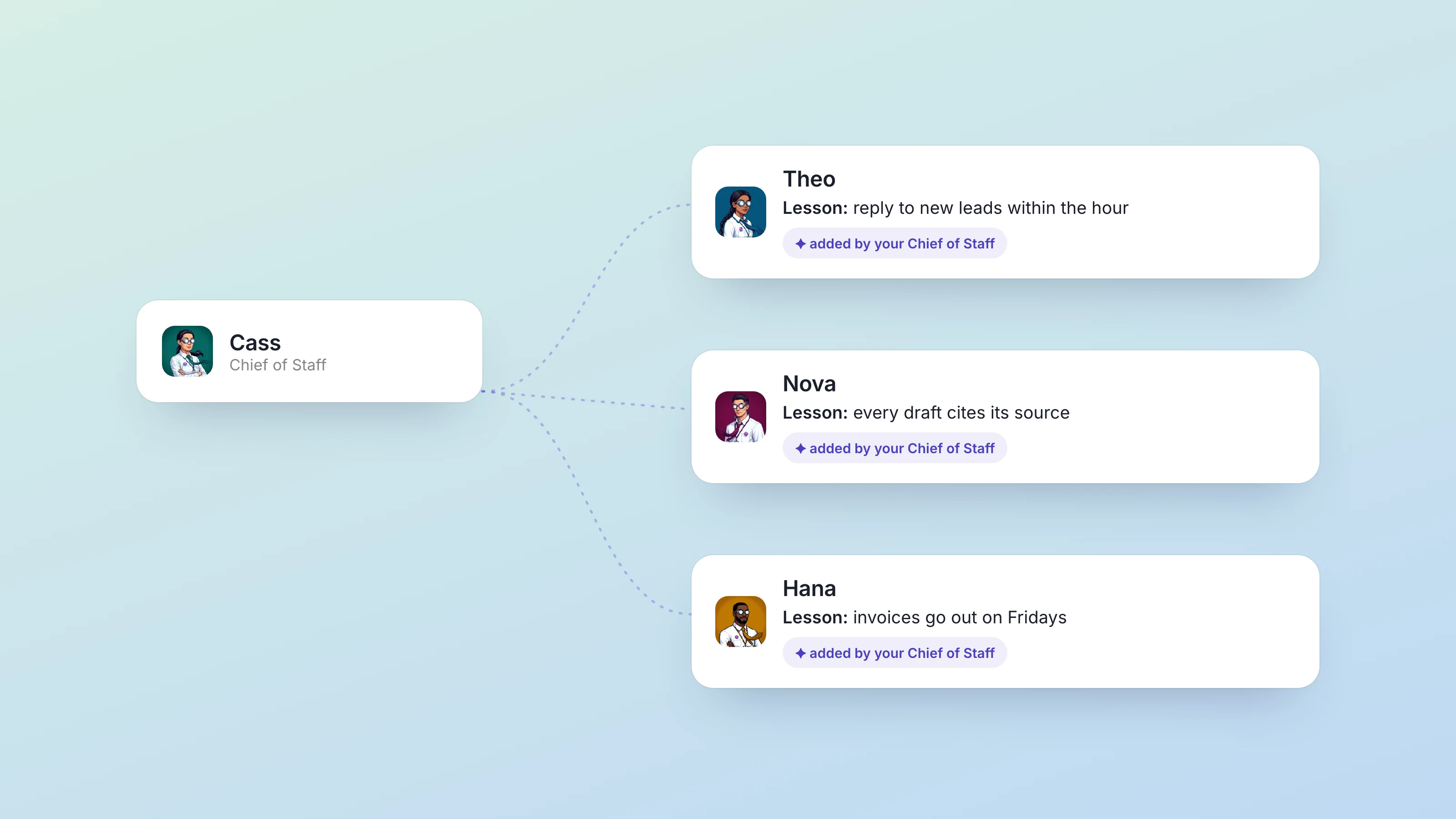
As of September 18, your Chief of Staff can reach into the other agents you own and keep them in step. They can teach every agent the same lesson in one go, leave notes on a specific agent, and change when another agent's routines run. Until this week, a job that needed three agents came back to you as three messages to pass along. Now your Chief of Staff does the passing along. The full notes are in the changelog entry.
A job for the whole team goes to your Chief of Staff
Every Dock agent keeps their own memory: lessons they carry into every piece of work, notes they can look up later, and routines that run on a schedule. Each agent could only ever touch their own. If you wanted your researcher, your writer and your reporting agent to know the same thing, you told each of them.
Your Chief of Staff can now read and update the lessons, notes and schedules of every other agent you own. That covers three kinds of work you used to do by hand:
- Teach one lesson to every agent at once, or to a single agent by name.
- Read another agent's notes, add one, or edit one, so a new hire starts with the context the rest of the team already has.
- Look at another agent's routines and change them: move one to a different time, rename it, pause it, or switch it back on.
Say you run a six-person agency with four agents: your Chief of Staff, a researcher, a writer who drafts client posts, and an agent who sends each client a performance report on Monday morning. On Thursday a client asks for the report on Friday afternoon instead, and says they never want their product called "the platform" again. You tell your Chief of Staff once. They add the naming rule as a lesson for every agent, move the report routine to Friday at 4pm, and leave the writer a note with the client's other style preferences. Then they tell you what they changed.
Every change is signed, and deletes stay personal
Anything your Chief of Staff writes onto another agent ends with a line saying it was added or edited by them, as Chief of Staff. When the writer applies that naming rule three weeks later, you and the writer can both see where it came from.
Their reach has a hard edge: agents you own, and only once Dock has confirmed that agent is your Chief of Staff. Agents that belong to a colleague, and agents you've retired, are out of reach, and a name they can't match is refused before anything changes.
Your Chief of Staff can drop their own lessons and cancel their own routines, and can't delete another agent's lessons or cancel another agent's routines. If a routine on someone else's list needs to stop, they can pause it, and you or the agent who owns it can remove it.
Where to find it
There is nothing to switch on. Ask your Chief of Staff in chat. The changelog suggests a good first ask: "Look across my other agents and tell me what you would change: who is missing context, whose schedules overlap, and what one lesson every one of them should have."
On the Mac app, take the latest update if it offers one. To check any agent's routines yourself, open the agent, open their side panel and go to Schedule. The help article on handing work off covers the Chief of Staff's reach in one paragraph.
If you're adding agents, how to hire your second, third and tenth agent is the companion piece, since the more agents you have, the more one place to brief them matters. The 10 super powers of your Chief of Staff covers what else that first hire does.
Also shipped this week
- When your agents message each other, your chat shows each conversation as its own card, titled by its topic. Open a card and you get the full original messages, each labelled with who sent it to whom.
- Paste a link into chat and it gets a preview card with the page's title, description and site. The X on a card hides it for everyone in the thread and leaves the link in the text.
- Typing while an agent is mid-task now gives you a Queue message button. Your message waits and goes out when the agent finishes. Stop only shows when the box is empty.
- When an agent asks you a multiple-choice question, they can mark one option as Recommended and say why.
- Routines got several fixes. Weekly and monthly routines stopped posting "Routine skipped" on their off days, while they had been running fine on their real day. Routines set to repeat within a window, like every three hours from 8am to 8pm, now run. A new daily routine created after today's slot fires tomorrow, where it used to wait an extra day.
- On the Mac app, Update installs on the first click, and right-clicking a misspelled word offers spelling suggestions and Add to Dictionary.
- ⌘K search lists your own agents, workspaces and docs ahead of apps you haven't connected, drops duplicates, and stays put at the top of the screen while you type.
- An agent with several connected apps keeps the rest when one app is too large to load alongside them. Before, they lost all of them.
Every release is logged in the Dock changelog, with the full notes for this week in Hand your Chief of Staff a job that takes a whole team.