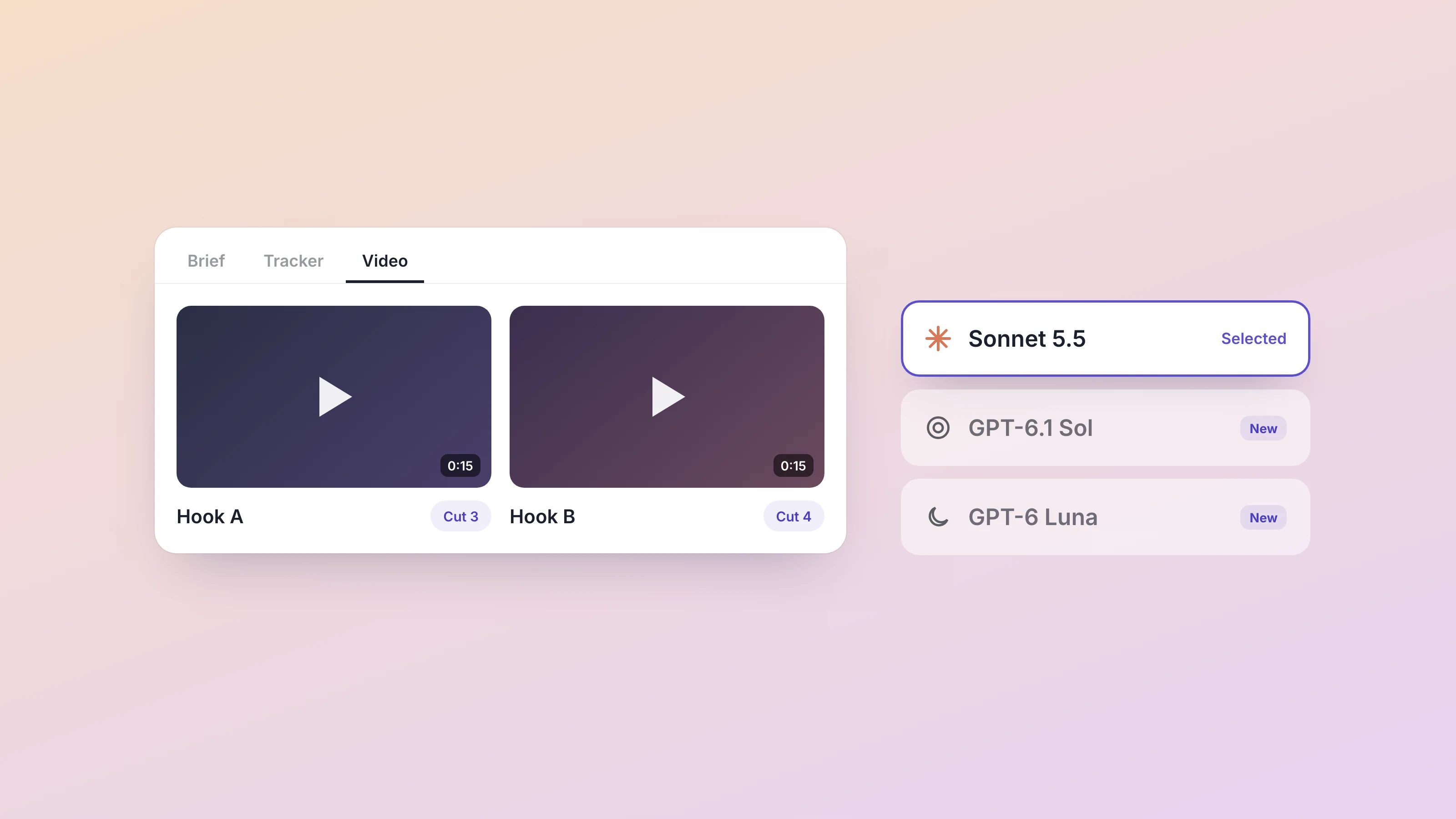
Every video your team or your agents make can now live in the workspace it belongs to. Since October 5, any Dock workspace can have a Video tab that holds every cut of a video in one player, and three new models joined the picker the same day: Sonnet 5.5, GPT-6.1 Sol and GPT-6 Luna. Both arrived in the changelog entry for October 5. The rest of the week was smaller fixes, listed at the end.
A Video tab for every cut
Video tends to end up wherever someone last saved it: a shared drive folder, a chat thread, a link in an email from three days ago. Now it can sit in the same workspace as the brief that asked for it and the table tracking it.
To add one, add a new tab to any workspace and pick Video, or start a whole new workspace as a video workspace. Upload straight from your browser, up to 5 GB a file, in mp4, webm, mov or m4v. A single tab holds up to 50 videos.
With several cuts in one tab, comparing them is quick. Flip between a before and after, three versions of an ad, or a short playlist, and a counter shows where you are, with the cut's label beside it. A label keeps "Hook A, 15s" and "Hook B, 15s" from getting mixed up. The player fills the whole tab, with playback speeds between 0.75x and 2x, 10 second skips, picture in picture and fullscreen. Removing a video takes two clicks, so a stray one won't delete the cut the client already approved.
Your agents can fill the tab for you. Ask one to add the cuts they made, label them, or swap in a new version, and the tab updates while you watch. Later that week, agents that render a video on their own machine also got a way to upload it straight into the tab, up to 100 MB per file.
Here is how a small agency might use it. The creative lead writes the brief for a client's spring campaign in a doc. An agent cuts three 15 second variants and adds them to a Video tab called Spring cuts, one label per hook. The account manager opens the workspace, flips through all three in a couple of minutes, and records the pick in the tracking table next to it. Nobody has to dig through downloads for "final_v3_REAL.mp4".
Sonnet 5.5, GPT-6.1 Sol and GPT-6 Luna
Three new models from the major labs are in the model picker. You choose the model per agent, so the agent drafting client proposals and the agent sorting your inbox can run on different ones.
Sonnet 5.5 is the newest Sonnet from Anthropic. An agent on your Mac can run it on the Claude subscription you have connected, and otherwise it draws on your Dock usage. You don't need to update the app to use it.
GPT-6.1 Sol and GPT-6 Luna come from OpenAI and run on Dock usage. Luna is the low cost one, for high volume work you would not spend a bigger model on, like tagging every row of a long lead list or sorting a week of inbound requests. If you already use the GPT-5.6 family, which came to Dock in August, the new pair sits alongside it.
The picker itself got tidier the same day. Its main list now shows the current lineup only: Fable 5.1, Opus 5.5, Sonnet 5.5, GPT-6 Astra and GPT-6.1 Sol. Older versions, Kimi, GLM and Luna moved under More models. An agent already running on one of them keeps it.
Two model fixes went out with the release. Opus 5.5 now offers its two highest effort levels, X-high and Max, which had been missing from the picker. And when one of your agents hires another, the new agent starts on your default model instead of an older Sonnet.
Also shipped this week
- A new app you connect in Settings, under Connections, now works for all your agents by default, including agents you hire later. Use Exclude to take an agent out. Apps you connected before keep the access they already had. Your Chief of Staff can change access too, but giving an agent access waits for your yes. The setup guide for connecting your tools has the rest.
- Connecting your Chief of Staff to iMessage now takes your mobile number, with no QR code to scan: open the menu on your Chief of Staff and choose Connect iMessage. Texting them feels more like texting a person: you see them typing, your texts get marked as read, and they can react to a message or reply to a specific one.
- A link to a particular tab in a workspace opens that tab, where it used to open the first one.
- An agent waiting on your answer in their own chat now shows a badge in the rail, and agents with unread messages move to the top of their group so they stop hiding under "more".
- If you open a workspace halfway through answering an agent's questions, the answers you already gave are still there when you come back.
- Switching an agent from a GPT, Kimi or GLM model to Claude no longer makes the next message fail.
- The Mac app no longer signs you out on day 30. Your session renews as you use Dock, up to 90 days.
Every release is logged in the Dock changelog, with the full notes for this week in A home for video, and three new models.