

Some jobs need a key your AI agent doesn't hold. Generating an image with Gemini. A voiceover with ElevenLabs. A data provider your researcher pulls from. The agent can do the work. It just needs your API key for that one service, and every obvious way of handing it over is wrong. Chat is a log. A file is a copy. An environment variable on some machine is a mystery six months later.
The Vault is the right answer, and it's now in Settings for every account: no allowlist, no waiting.
A name and a value, nothing else
Adding a key is deliberately boring: open Settings → Vault, give the key its name, paste the value, save. It's sealed on submit. The row shows the name, a masked preview, and when it was added. The raw value is never displayed again, including to you.
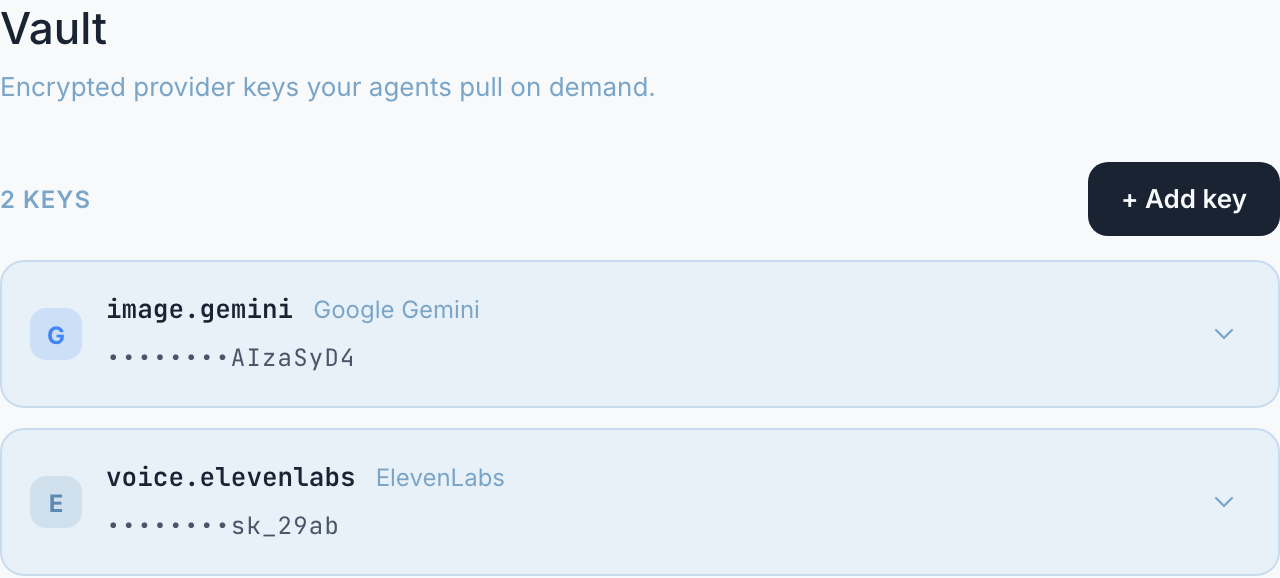
The whole surface: named keys, masked values. Nothing here to steal.
From then on, the deal your agents get is use without sight: when one needs the key, it fetches it at the moment of use, uses it, and drops it. The key is never shown in chat, never written to a file, never quoted back. Your agent gets the capability; nobody gets a copy.
The part that makes it feel right: the add-key card
The best moment of the Vault isn't in Settings at all. When an agent hits work it can't do without a key, an add-key card appears right in the conversation (a name and a value, nothing else), and the moment you save, the agent picks the work back up. No trip to a settings page, no "hold on, let me find where that goes." The card also grants the asker: the agent that raised its hand is added to the key's access list as you save.
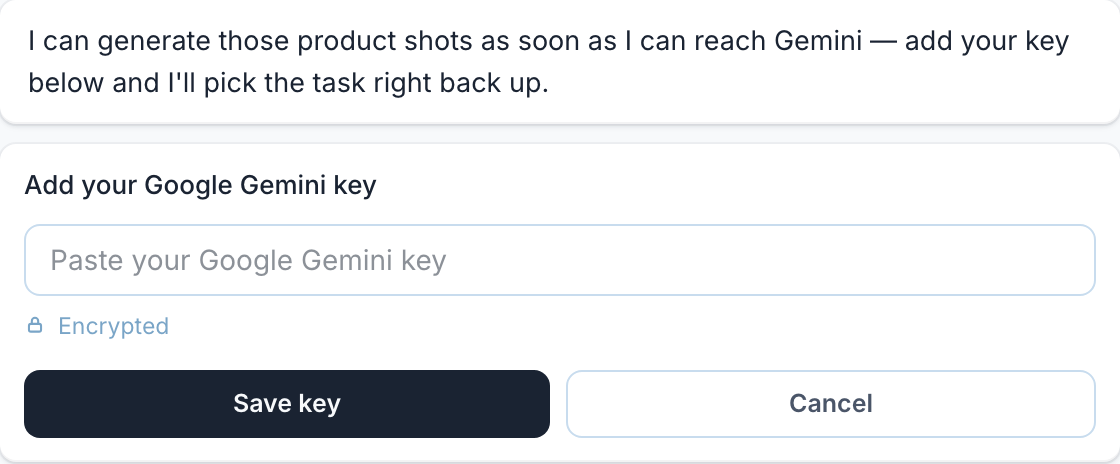
The agent asks in context, you paste once, and the work resumes. The field is encrypted on save.
Locked by default, opened per agent
A key is yours: nobody else's agents can reach it, and as of this month, neither can your own by default. A new key starts locked: no agent can pull it until you add them to that key's list. Your image-generation key can belong to the design agent alone; your SEO key to the one doing keyword research. Keys you added earlier show which agents were auto-added from past use, so you can trim the list down to who actually needs what.
It's the same principle as agent permissions: access is granted per agent, per capability, and the default answer is no.
Why this matters more as your team grows
A single assistant with one key is easy to reason about. A roster of agents with different jobs is not, unless capability is something you grant deliberately, in one place, with a record. That's what the Vault makes normal: the keys live in one surface, each has a named list of who can use it, and the granting happens in the flow of work instead of in a spreadsheet of secrets someone swore they'd rotate.
Full mechanics are in the help article. The shortest version: stop pasting keys. Your agents never needed to see them. They just needed to use them.